
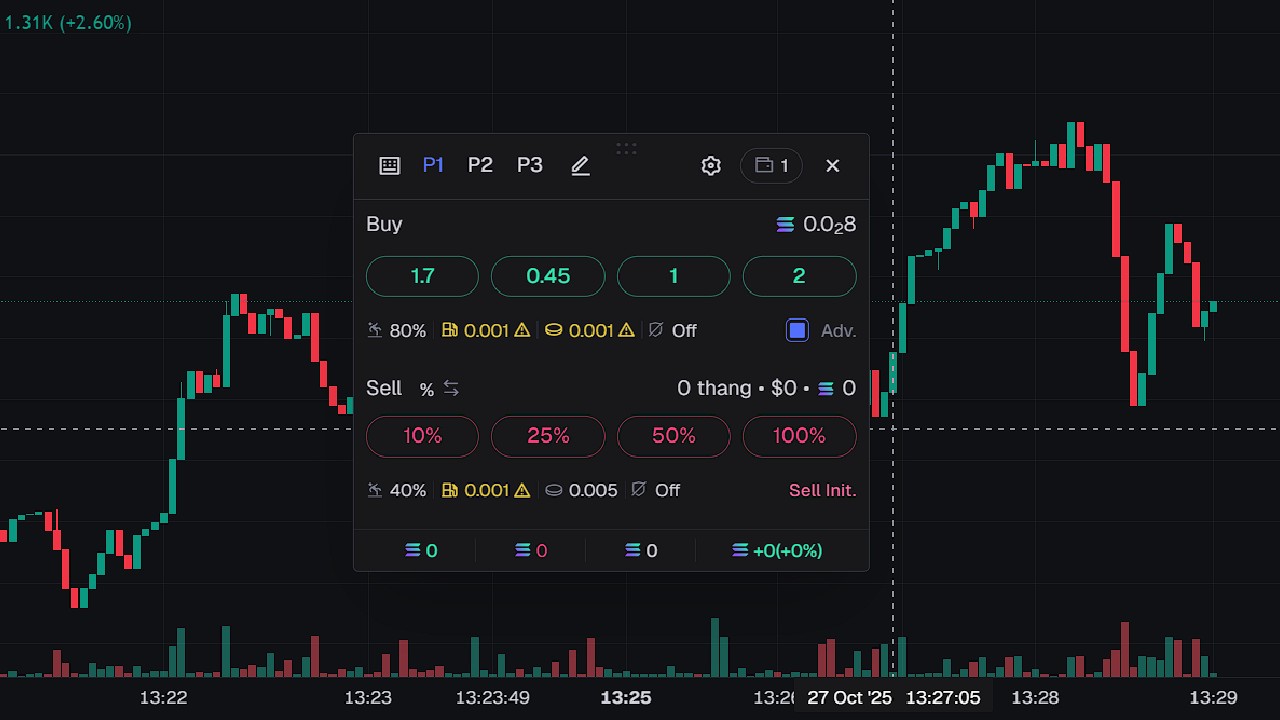
Quick Buy and Instant Trade are one of the most important features on Axiom Trade. They are there to help you get early on a coin and to sell fast. A lot of people do not use them or they do not know how to set them up.
Quick Buy
When you go to new pairs you will see one big button next to each coin. It is called Quick Buy. What it does is when you click it, it will automatically buy you a coin. This is extremely important when you are trading meme coins that are based on news, so X post, etc. This is how most people get early enter.
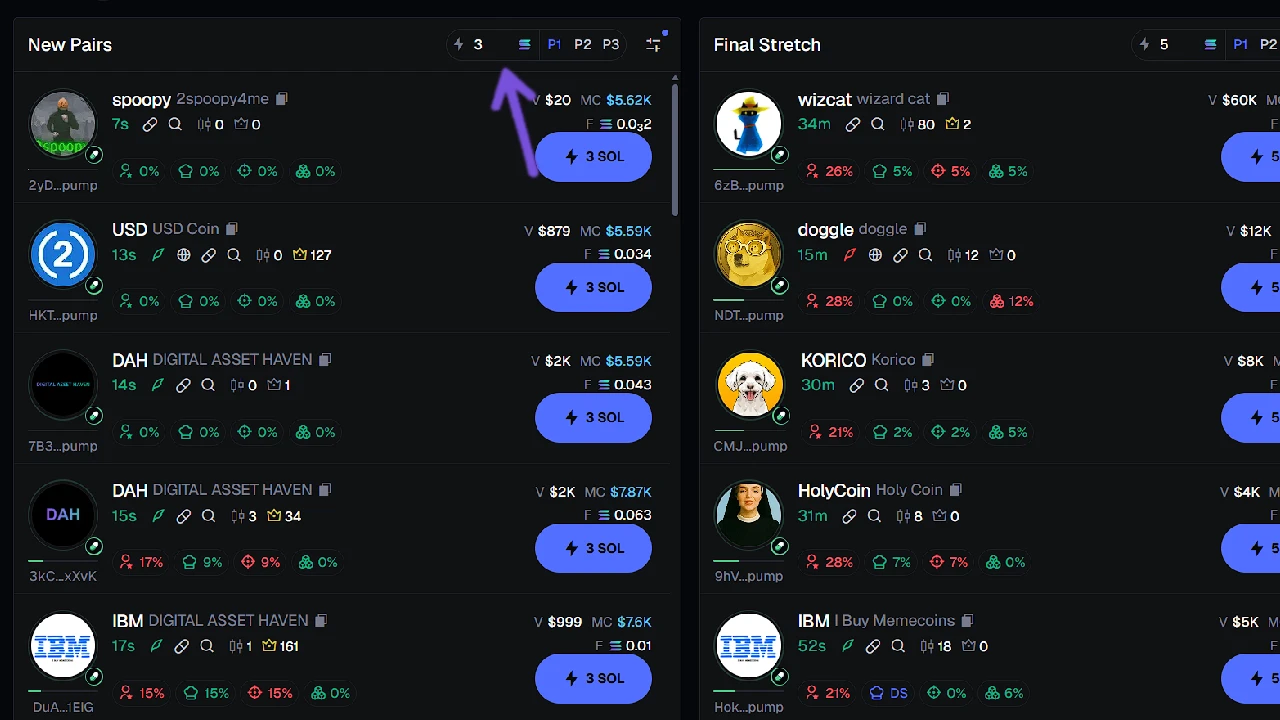
You can change the amount of SOL on the Quick Buy button by entering a number in the top part of the column where the lightning icon is. You can add different numbers for new pairs, final stretch, and migrated. Next to it are P1, P2, P3 which are a preset of fees. So if you choose P2 it will use fee presets that you added to P2 and use it for Quick Buy.
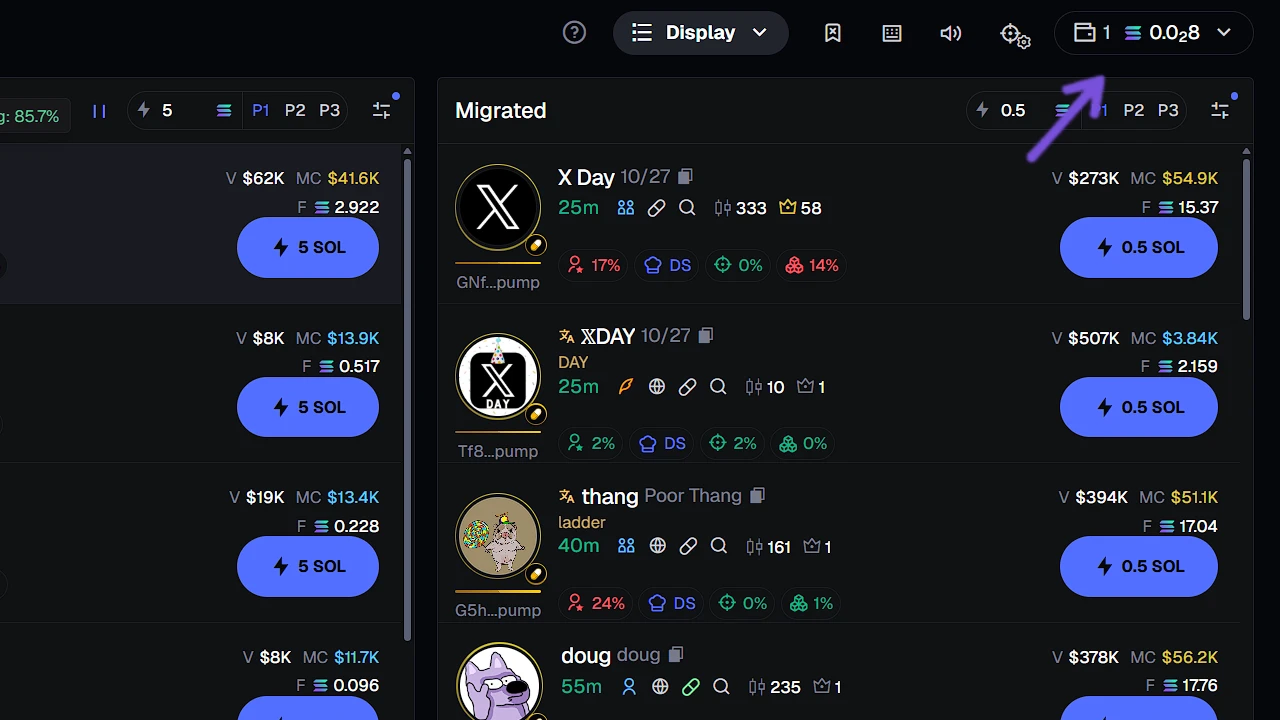
If your Quick Buy does not work, then that means that you either do not have funds in your wallet that you have set, or you chose the wrong wallet. To change wallet, go to the right part of the screen under your profile. Click on it and you will see all your wallets, then choose what wallet you want to use.
Instant Trade
Instant Trade is also a feature that is overlooked by many new traders. Normally, when you are on a coin page you have to go on the right and click a few buttons in order to sell or buy. With Instant Trade all you have to do is click on any button that you have set—for example, Sell 100%—and it will do it immediately. It saves you so much time. Also, I have noticed for some reason transactions and fills are much better when you are using Instant Trade instead of classical buy and sell on the right side.
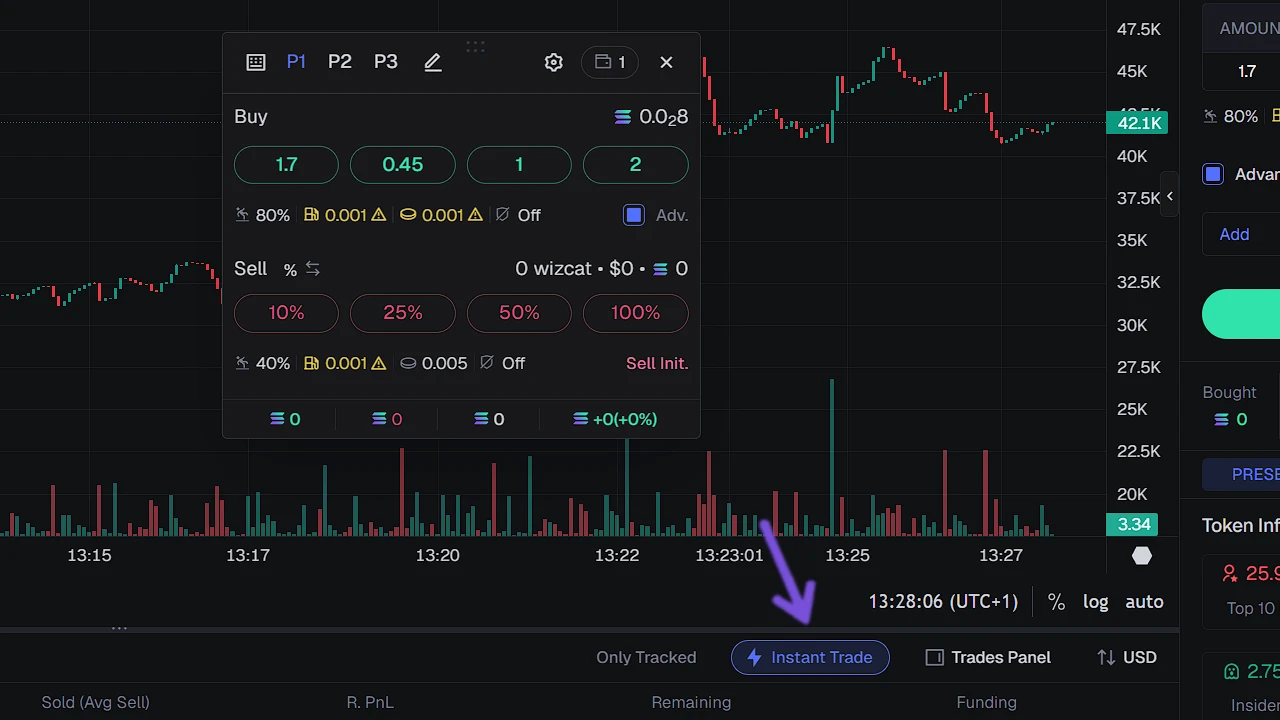
To activate Instant Trade, simply click on the button under the chart that says Instant Trade. When you click on it you will get the Instant Trade popup that you can drag and move to any position that you like. After that, you can edit the amount of buys and amount of sells by clicking on the Pencil next to P1, P2, P3.
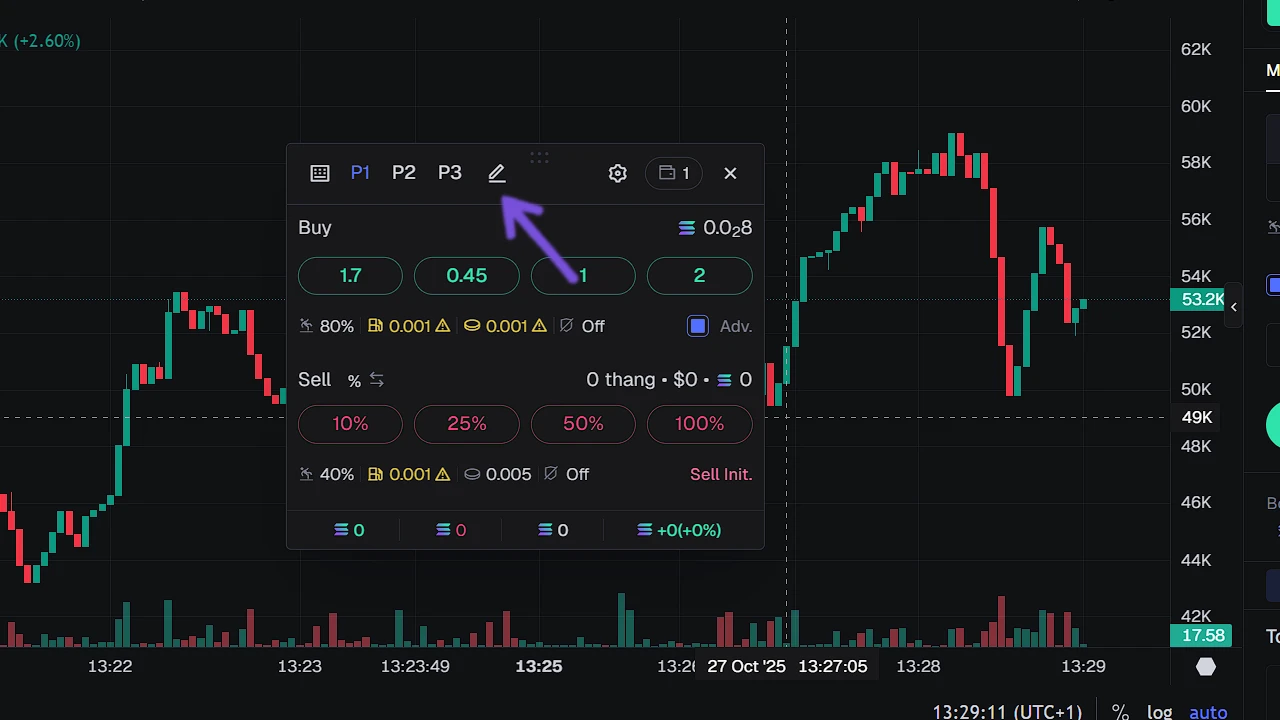
If your Instant Trade does not work, then you either do not have funds or you have selected the wrong wallet. If you have selected the wrong wallet, then on Instant Trade next to the gear icon you can see the wallet icon. Click on it and choose the wallet that you want to use.