

Axiom Trade is one of the best trading platforms, but some users might not like its default look or may come from other platforms that look completely different. Because of that, Axiom Trade added features that let you customize colors and decide what information about coins you see in new pairs.
If you’re new to Axiom Trade, don’t forget to claim 10% off trading fees! Click the button below or use this link https://axiom.trade/@memnav
How to Change Theme
Changing the theme in Axiom Trade is extremely easy.
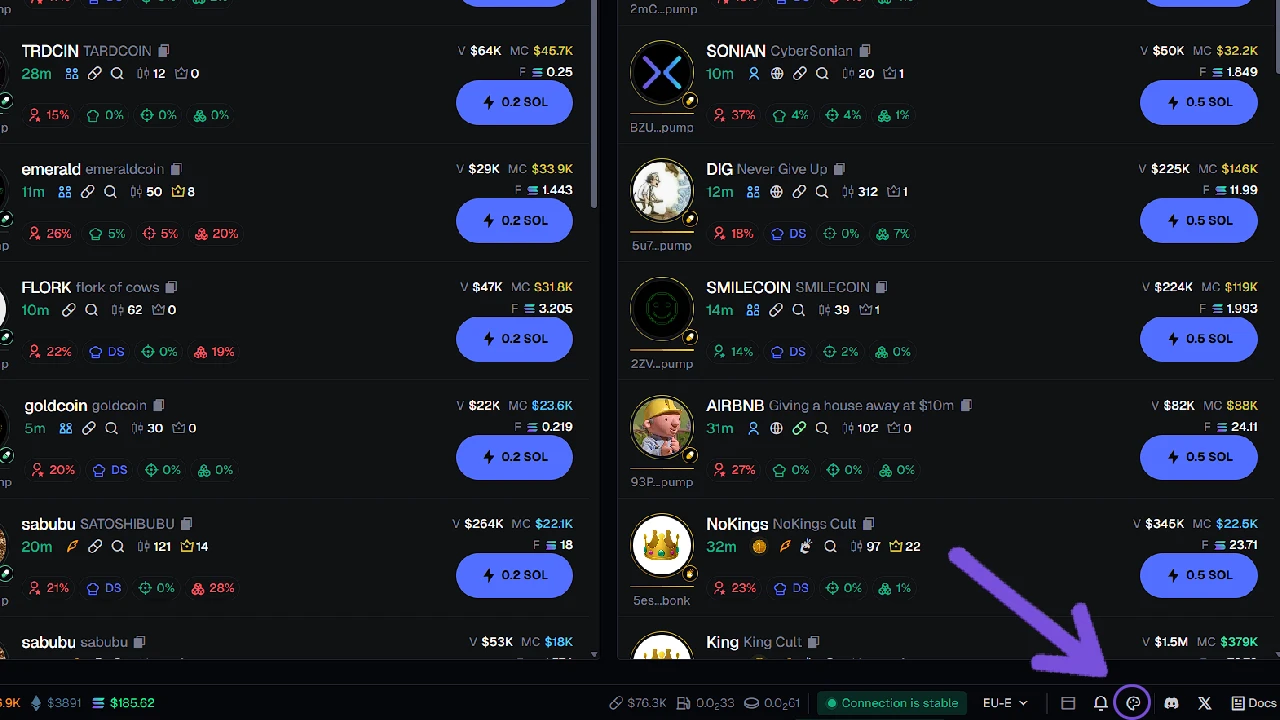
To change the theme, simply click on the Appearance icon in the lower-right corner of the screen (it’s located just to the left of the Discord icon). When you click on it, the Customize Theme section will open.
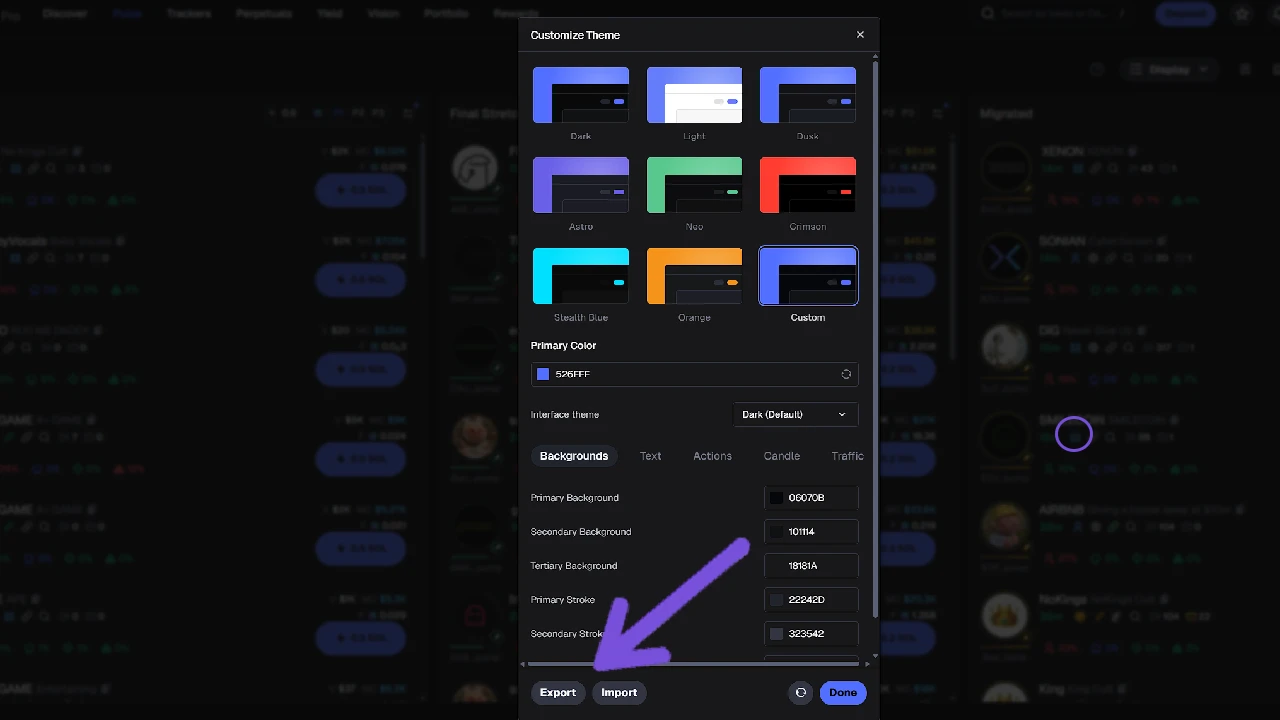
Here, you’ll find several pre-made templates you can use right away. If you prefer to make your own, click on Custom. There, you can change the colors of every single element. Once you’re done, click Done to save your theme.
We strongly recommend exporting your theme afterward. This way, if you switch accounts or your settings reset accidentally, you’ll have a theme code you can import instantly without wasting time.
If you want to make Axiom Trade look like another platform (for example, GMGN), it will take a bit of effort — you’ll need to use the Inspect tool on Chrome.
How to Change Display Information on New Pairs
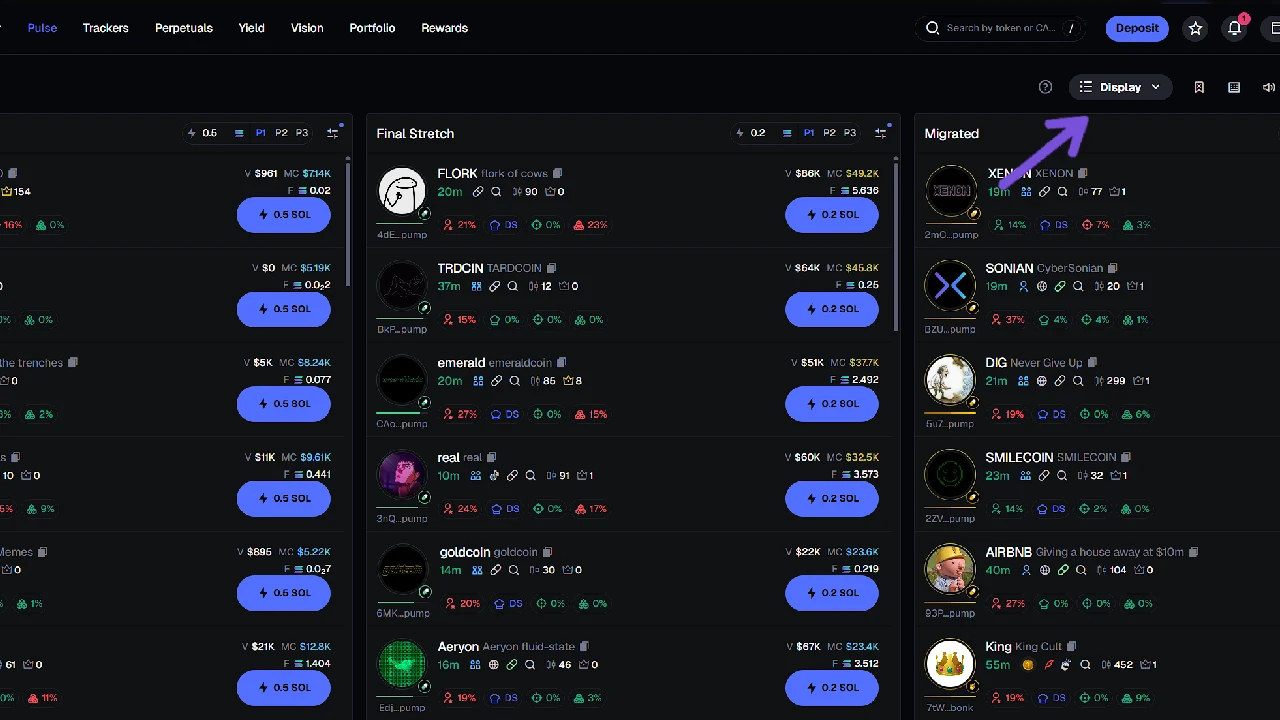
When trading new pairs, you might feel overwhelmed by the amount of information shown — and that can cost you valuable time. Every second matters when trading new pairs.
Axiom Trade lets you fully customize what data appears in the PULSE section for new pairs. Simply click on Display, and you’ll see many options you can toggle on or off.
Every trader has a unique style and preferences, so we recommend exploring each option (like KOLs, Tax, etc.) and adjusting them to fit your strategy.
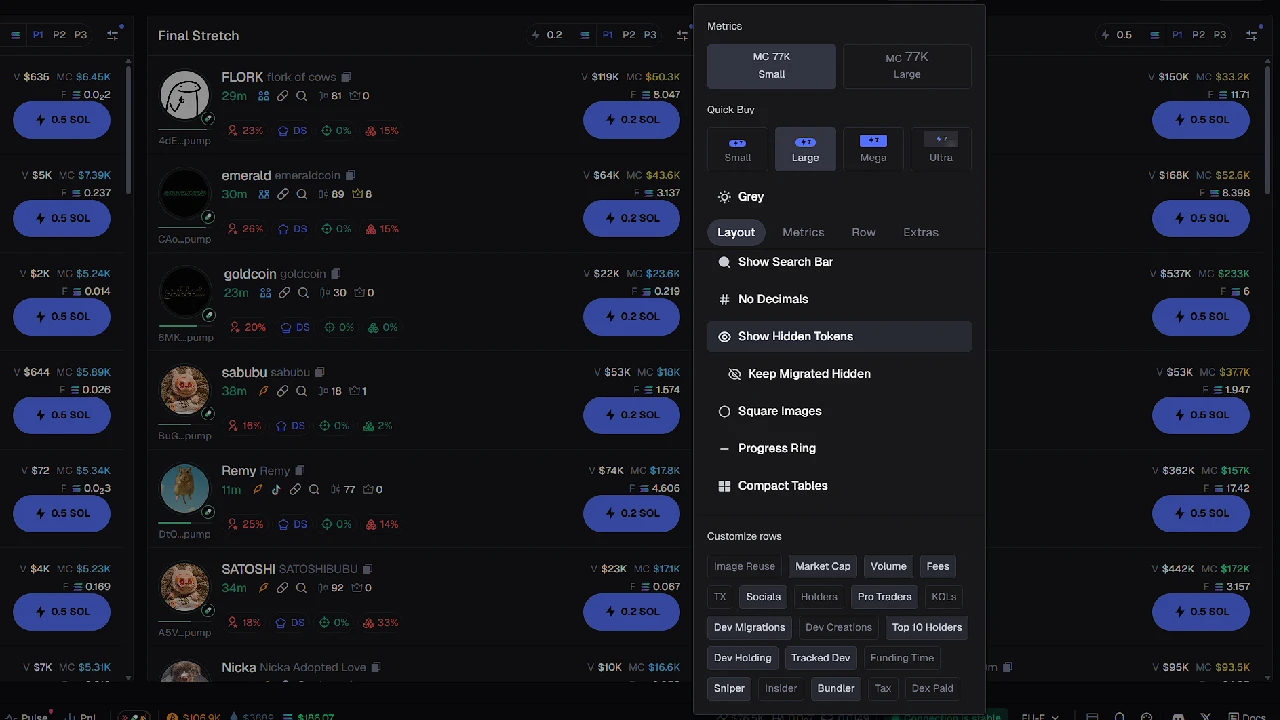
Below is a quick explanation of what each option means and how useful it is:
Image Reuse: Shows how many different coins were created using the same image. This doesn’t mean much — a reused image doesn’t make a coin bad. Some coins use the same image but still perform well because of unique tickers or hype.
Market Cap: Displays the current market cap of the coin. Must-have option.
Volume: Shows buy/sell volume. Also essential — it helps spot bundled coins.
For example: if a coin has a 200K MC but only 40K volume, it’s likely bundled and could rug soon.
Fees: Some traders ignore this, but I keep it on. It helps detect artificial trading. If you see “natural” buys/sells but 0 fees, it usually means fake wallets are trading with themselves. Avoid those coins.
TX: Shows total transactions (buys and sells). Not very important.
Socials: One of the most important settings. Meme coins depend on socials like X, Instagram, and Telegram. This helps you quickly check what the coin is about.
Holders: Not that useful — holder count can be misleading. Some fake coins have 100+ holders, while solid ones may have 30 real ones. I suggest using Pro Traders instead.
Pro Traders: Shows wallets of experienced traders on Axiom Trade. If a coin has no pro traders, it may be full of bundled wallets. Be careful — even some “pro” wallets can be fake, so read our guide on avoiding rug pulls.
KOLs: Pretty useless. A coin can be great with 0 KOLs or terrible with many.
Dev Migration: Shows how many coins the dev has migrated. Not useful for beginners.
Dev Creations: Displays how many coins the developer has created. The number alone means nothing — skip it.
Tracked Dev: Can be useful if the dev previously made popular meme coins (e.g., Useless or Fart Coin).
Founding Time: Shows when the dev wallet was created. Only helpful for AI-related projects — otherwise, ignore it (most of those are rugs anyway).
Snipers: Crucial info. If you see many snipers holding large positions, avoid the coin. Devs often snipe their own coins using alt wallets and dump right after you enter. I lost good money learning this — wait until they sell before entering.
Insider: Not very useful for new pairs.
Bundler: Sometimes helpful, sometimes not. Many new pairs show high bundling due to multi-wallet and copy trading. If you see 40%+ bundling, avoid it until you gain more experience reading wallets.
Tax: Not very important for beginners.
Dex Paid: Relevant for migrated coins but not for new ones.