

A lot of new Axiom Trade users do not know how to add funds or withdraw funds from their Axiom wallets. It is relatively simple, but I recommend that you import your Phantom wallet to Axiom. By importing your Phantom wallet, you won’t need to use Axiom to transfer or fund — you’ll just use Phantom directly. But if you will not import, then continue reading to learn how to fund and withdraw funds from your wallet.
How To Fund Axiom Trade Wallet
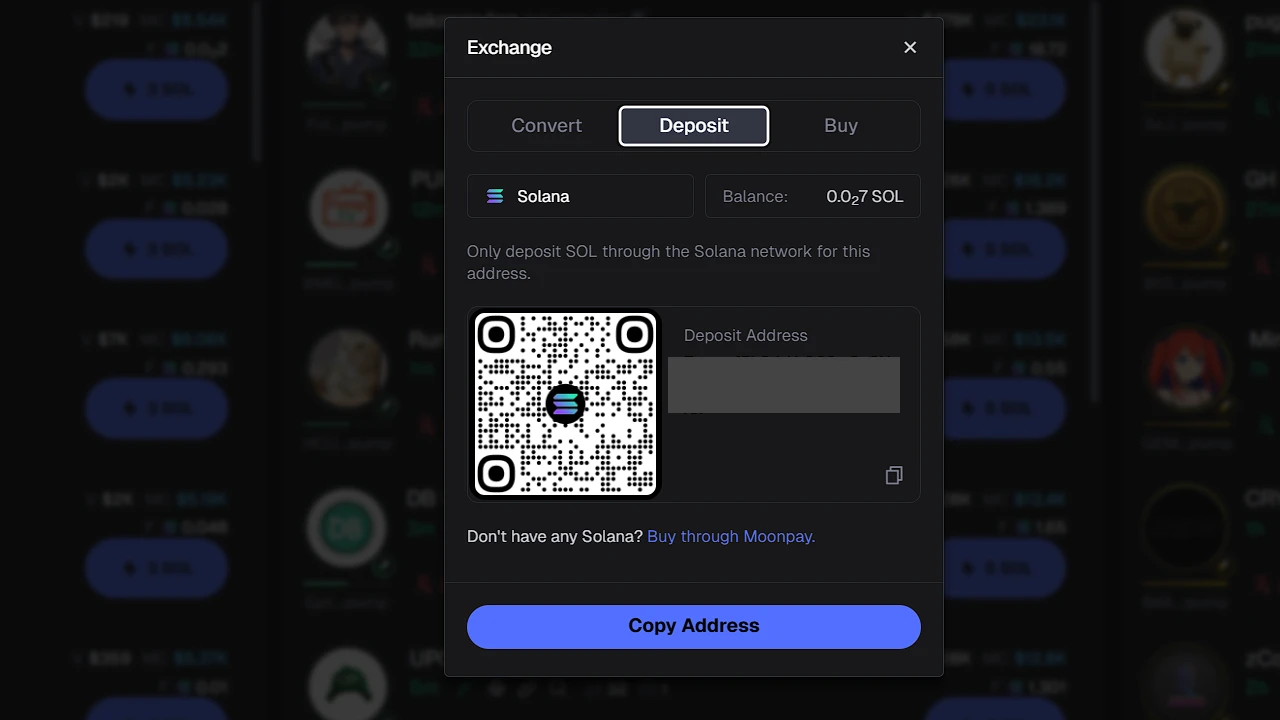
To fund your Axiom Trade wallet, first go to the Axiom website and log in. When you are logged in, in the top-right part of the screen you will see your wallet balance. Click on it and then click Deposit. There you can choose Convert, Deposit, or Buy.
- If you want to transfer from, let’s say, Phantom or Binance, simply copy the Deposit Address (this is your wallet address) and paste it in Phantom/Binance.
- If you are using your phone, you can scan the QR code, which will automatically paste the wallet address.
How To Withdraw Money From Axiom
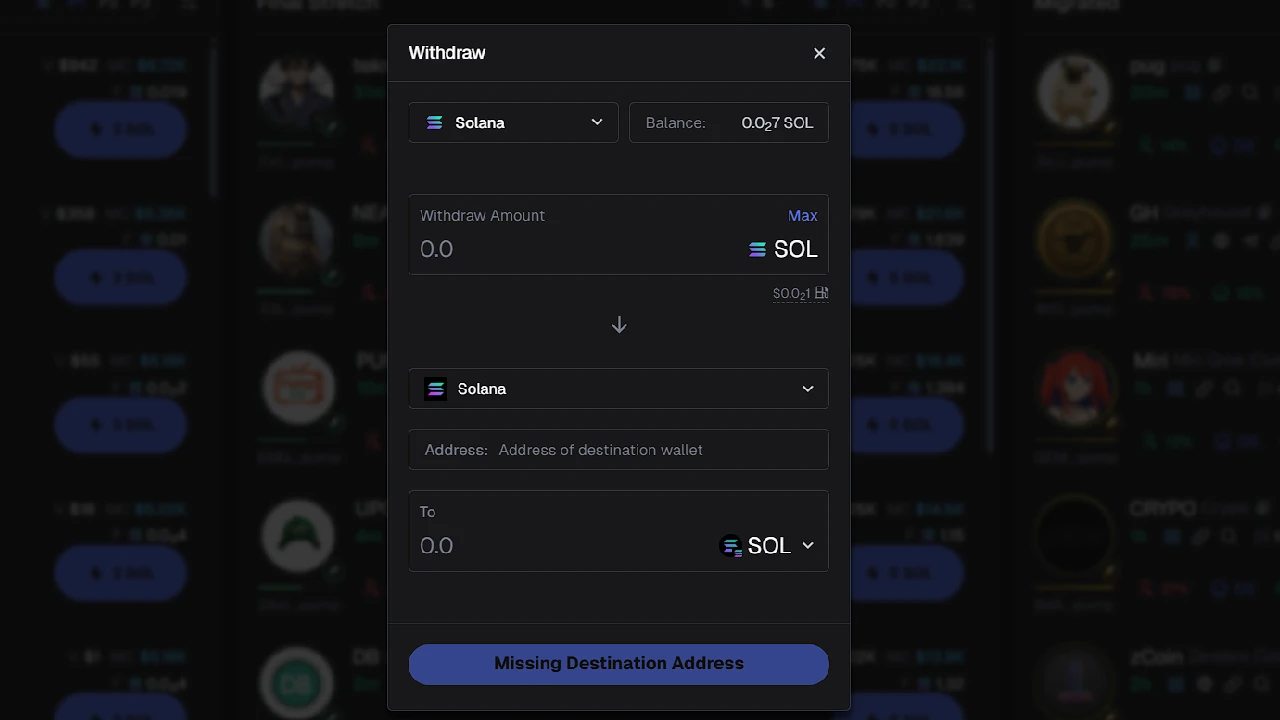
To withdraw money/crypto from Axiom:
- Log in to your Axiom account and click on the account balance in the top-right part of the screen.
- Click Withdraw.
- A popup will show. Enter the type, amount, and most importantly the destination wallet address.
Go to the app where you want to receive funds (Binance, Phantom, etc.) and copy the wallet address. Paste it into the Address field.
Important: always double-check — even triple-check — the wallet address to make sure every letter/number matches the destination wallet. If even one character is wrong, your funds may go to a different wallet and cannot be recovered. Always check.