

Fees are one of the most important things to set up when you’re trading meme coins, no matter if you’re using Axiom Trade or another platform. When you purchase a meme coin, your transaction goes through a middleman who routes your order to get you the coins.
When 10 people buy and sell at the same time, that middleman will process the transaction of the person with the highest fees first, while people with the lowest fees go to the bottom of the queue. Now imagine a popular coin with 100+ transactions happening at once — if your fees are extremely low, there’s a chance your transaction may never go through.
Best Fees
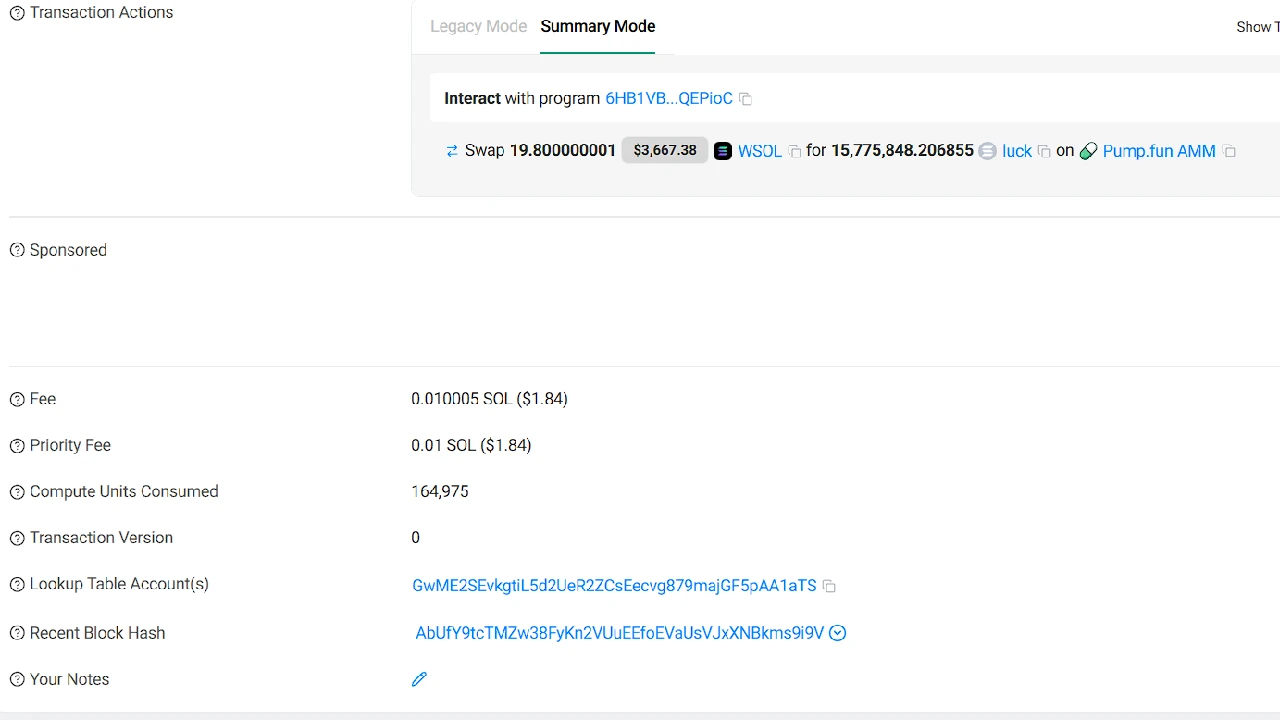
What fees you use depends on how much SOL you’re trading, whether the coin is getting a lot of buys/sells at the same time, how many trades you make per day, etc. If you’re trading Solana meme coins on Axiom Trade, you’re paying fees in SOL.
I’m an experienced trader who can afford higher fees, so I use Priority = 0.004 and Bribe = 0.01 so my transactions almost always get filled. I also use higher fees so I can buy dips or sell into big buys — seconds make a huge difference. These are my fees when there’s high volume on a coin. If volume is lower, I reduce to around Priority = 0.001 and Bribe = 0.005.
If you’re a new trader or have a small port, you want to use minimum fees. Reason: if you buy 20 coins and sell 20 coins, even without losing on trades, using Priority = 0.004 and Bribe = 0.01 times 20 can be 0.28 SOL, which is a huge amount — and on top of that Axiom takes 1%. You can see how fast fees drain your portfolio.
That’s why you should lower your fees as a beginner or if you have a small portfolio. If the market is dead or there isn’t much volume, use Priority = 0.0001 and Bribe = 0.0001. If there’s more volume, use Priority = 0.001 and Bribe = 0.001. This is the highest I’d use if I’m a new trader or have a small port — there’s really no point going higher. When you get experience and become profitable, you can test higher fees. In my case, I will never go over Priority = 0.004 and Bribe = 0.01 — anything more feels like a waste.
How to Change Fees on Axiom Trade
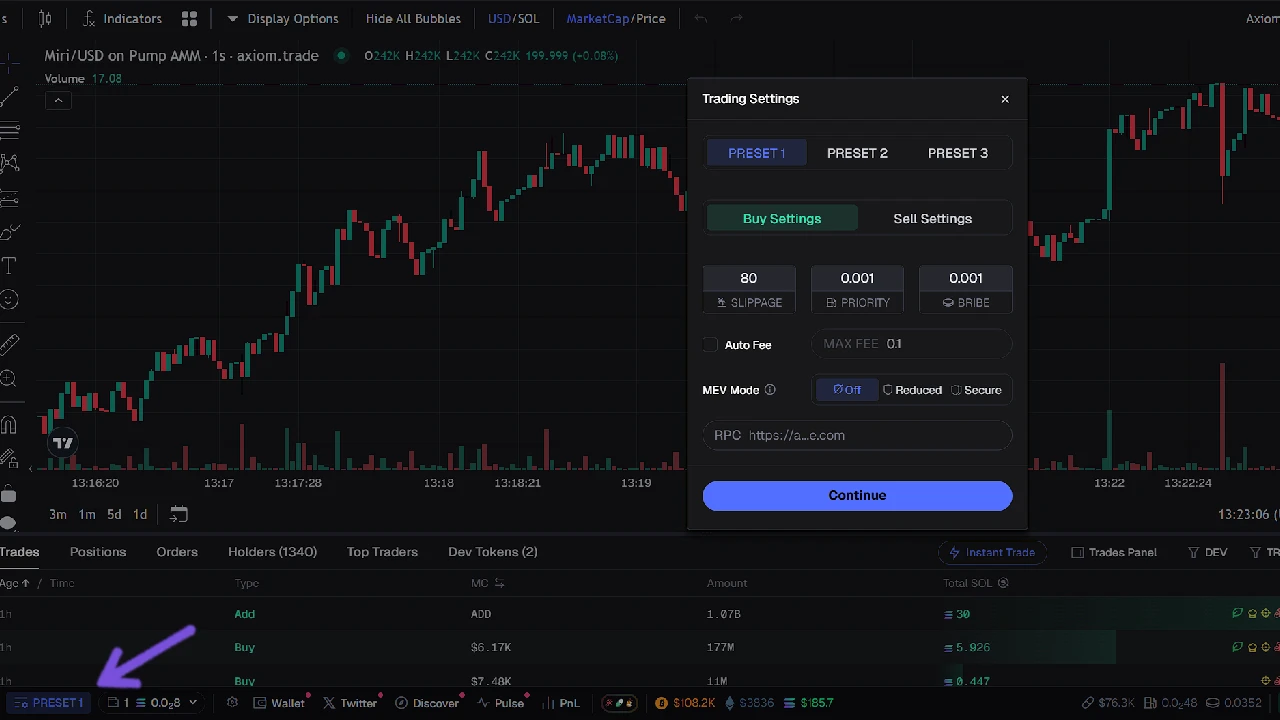
There are two ways to change fees on Axiom Trade:
- Click the blue Preset icon in the lower-left part of the screen — a popup will appear to change fees.
- Open any coin page; on the right side you’ll see Preset 1, Preset 2, Preset 3.
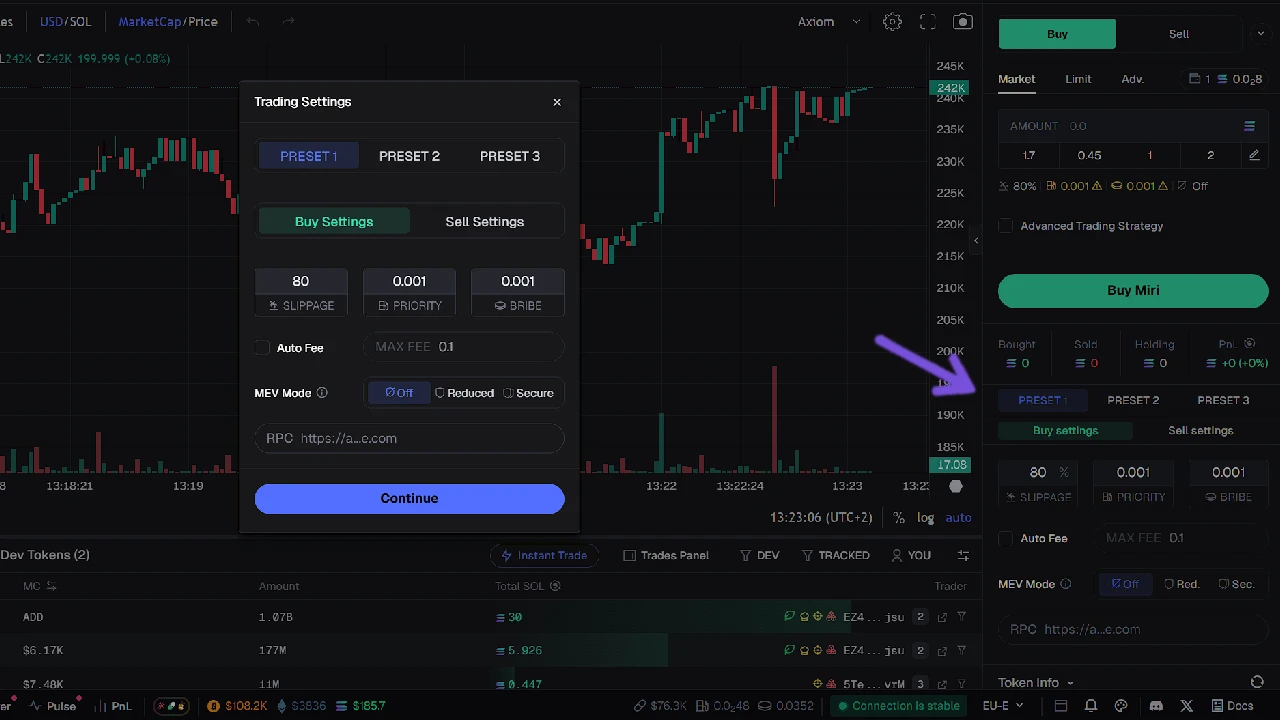
Presets are your trading settings for fees, and you can have three different ones. To edit, click in the Priority or Bribe boxes and enter the amount. Save it — those fees will be used when buying/selling. You can quick-swap between fees by clicking P1, P2, P3 on the Quick Buy or New Pairs section, and also on the right-side trading panel.
Recommendation for new traders: set the lowest fees on all three presets. You will definitely forget to switch from a high-fee preset to a low one at some point, or you’ll click the higher one by mistake. This even happens to me when there are lots of new coins and I’m hyper-focused. So it’s best to put all presets to the lowest and not think about it.