

Axiom Trade is one of the best trading terminals you can use to trade meme coins. As a new user you can be overwhelmed with information, so we created a guide on how to set up everything so you can start trading immediately.
Don’t worry — it’s extremely simple to learn how to set up, which is great because you don’t want to waste time figuring it out. You want to focus your time on learning how to trade, how to spot good coins, etc. If you are a new trader I strongly recommend that you paper trade until you learn and build skill. After that, start with a small amount.
Download Phantom Wallet
First thing you have to do is download Phantom Wallet on your Chrome (or whatever browser you use). Simply search on Google “Phantom Wallet” and download the extension to your browser. After that, create a new account, set a password, and write your seed on a piece of paper. Never save it where hackers or someone can access it. It’s used to recover your account.
After you’ve created your Phantom account, you will need some Solana in your account so you can trade. You can buy it directly in Phantom or transfer it from another platform. Funds must be in your Phantom wallet.
Connecting to Axiom Trade
Now that you have your Phantom wallet ready, create an Axiom account. Click the button down below or copy the link in your browser: https://axiom.trade/@memnav
The reason to use our link is so you get 10% off trading fees. It seems small but it’s actually huge if you plan to trade a lot. For example, I saved over 100 just on fees by reducing them 10%.
Once you’re on Axiom Trade, simply click Connect with Phantom, then enter the password you set up. Save the recovery key that Axiom gives you. Now you have a fresh account on Axiom Trade where you can transfer funds from Phantom by clicking on your Balance and then Deposit.
What we recommend: import your Phantom wallet directly into Axiom. This way you don’t have to transfer funds from one wallet to another and waste on transfer fees. By importing Phantom wallet directly, you trade from your Phantom wallet.
Never share your private key or recovery phrase.
Theme and Display Settings
Now that your wallets are ready, you’ll want to change your theme in Axiom Trade. Go to the Pulse section — that’s where you’ll find new pairs. If you’re serious about this, you’ll look many hours a day at this screen, so you must optimize the theme with only the information you really need.
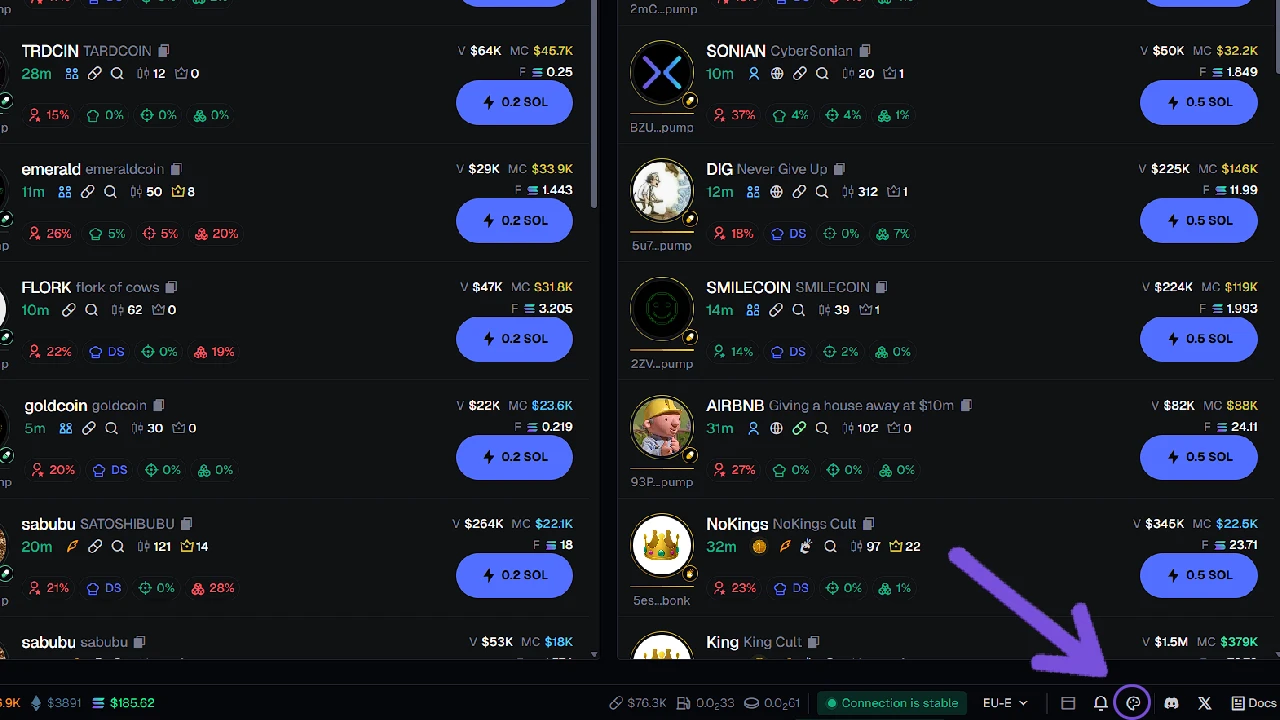
To change theme, click on the Appearance button down in the right part of the screen. You can change colors, sizes, and a lot of things. Choose ones that are best for you and your eyes.
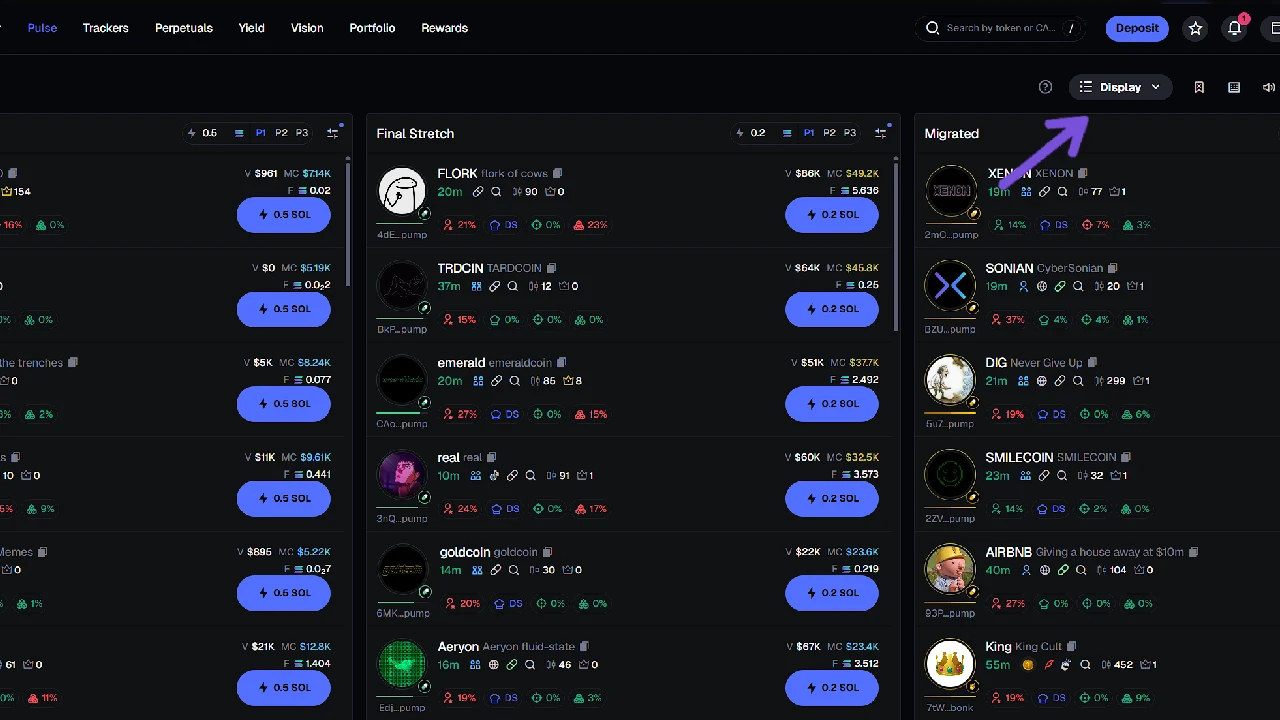
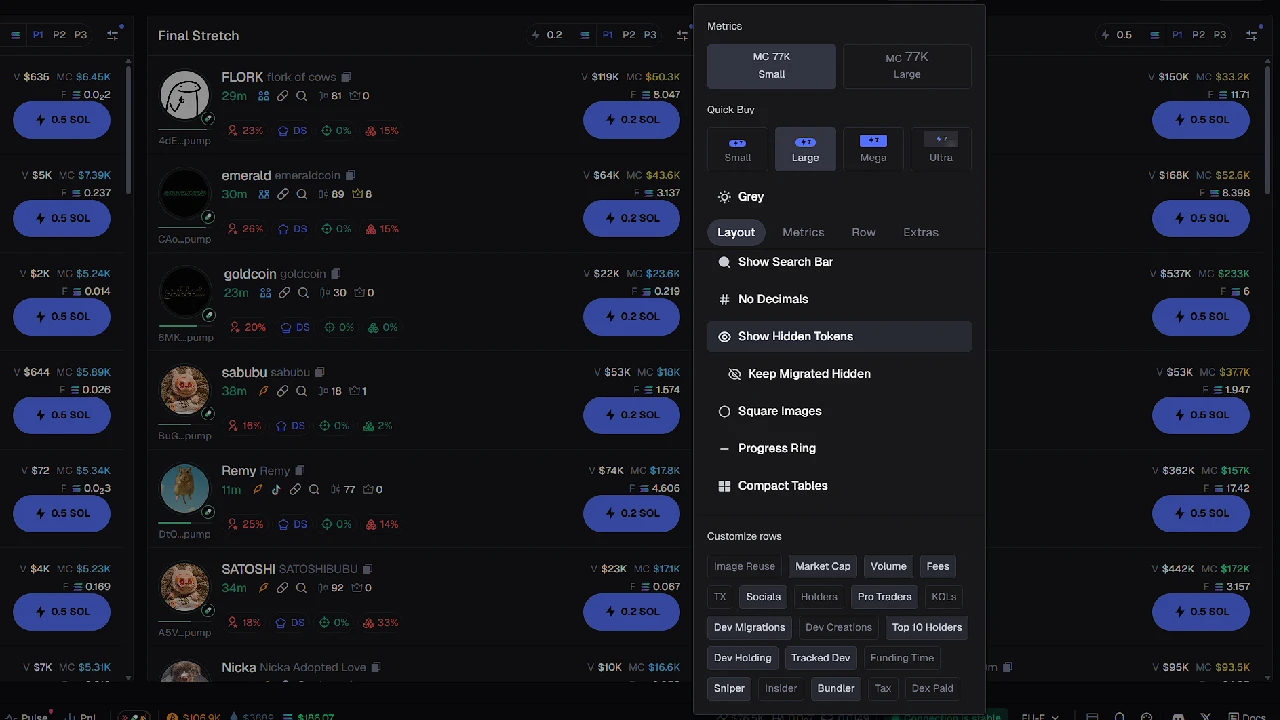
Display settings are in the top-right part of the screen. Display settings are a little bit complicated because these are the infos you will see about a coin on Pulse (new pairs). You can copy mine from image, They work great for me, but I strongly recommend you set them based on your trading style.
Axiom Filters

Axiom Filters are extremely important. They’re used to remove junk coins and obvious rugs. You don’t want to waste time looking at them — you want to see only coins with potential. There are a lot of filters you can use, so we recommend you play with them to optimize for your trading style. To learn more about filters, check out the Axiom Trade filters guide. If you don’t want to, you can copy my filters.
New Pairs
- Protocols: Keep only Pump and Bonk ON
- Snipers: 10% max
- Dev Holding: 10% max
- Volume: $500+
- Market Cap: $5,000+ (adjust based on average spawn MC)
- At least one social: ON
Final Stretch
- Age: 20 minutes max
- Top 10 Holders: 40% max
- Snipers: 10% max
- Dev Holding: 10% max
- Min Pro Traders: 3
- Volume: 7,000+
- Market Cap: 6,000+ (depends on average spawn MC)
Migrated
- Top 10 Holders: 40% max
- Snipers: 10% max
- Dev Holding: 10% max
- Min Pro Traders: 3
- Global Fees Paid: 1.5 SOL
Tracking Wallets
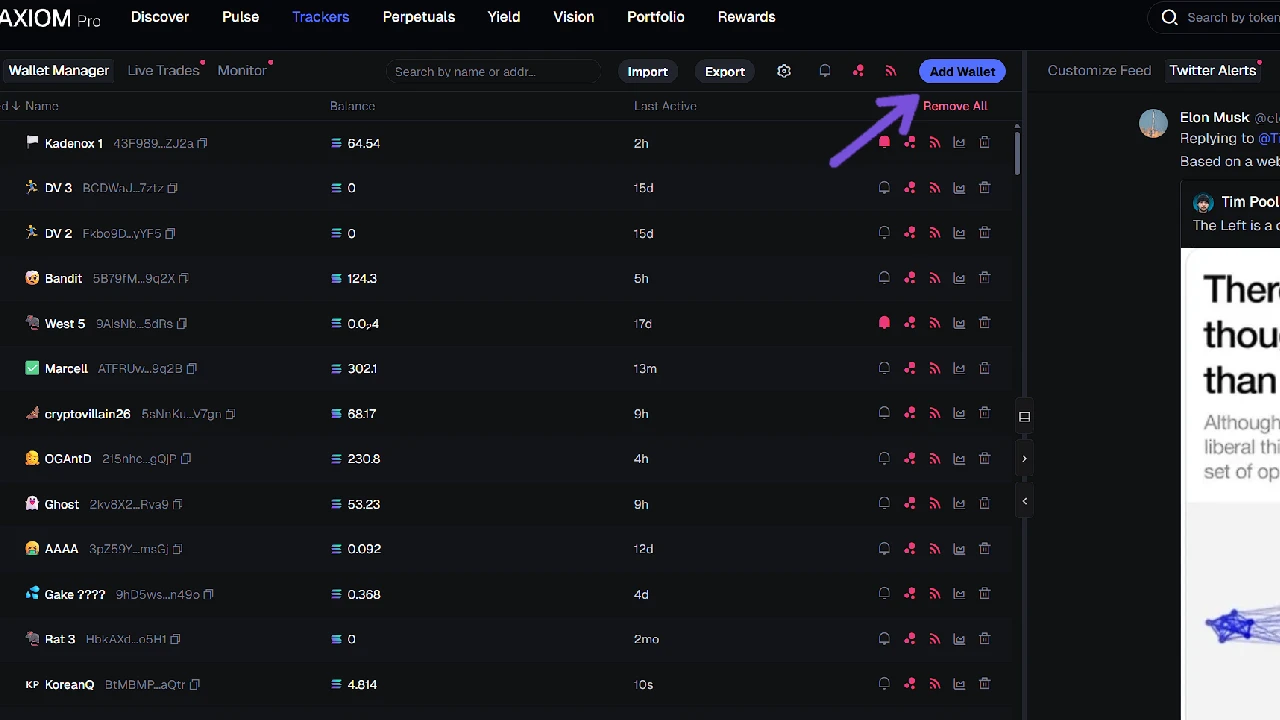
Tracking wallets is also an important part of trading new pairs. The reason you want to track wallets is to avoid people who are multi-walleting (aka farming a coin) and to track good wallets. Sometimes a coin can move from 200k to 500k MC in a second if a good wallet buys with a lot of copy traders.
You want to know who owns that wallet. Mostly I track wallets to avoid people who farm copy traders and people who use multi wallets. I won’t name them, but spend good time researching and find those people — it will save you so much time avoiding them.
To track wallets, click on Trackers and paste the wallet addresses you want to track. Make sure you enter the name (who owns that wallet) and an icon so you don’t waste time checking each time who owns it.
To find wallets, look on X and KOL Scan. There are many good traders out there, but even if they are good, that doesn’t mean they won’t farm you. Everyone is here to earn max. So track them and learn how they trade. With time you’ll know if you should buy after them or stay away from the coin.
Coin Page
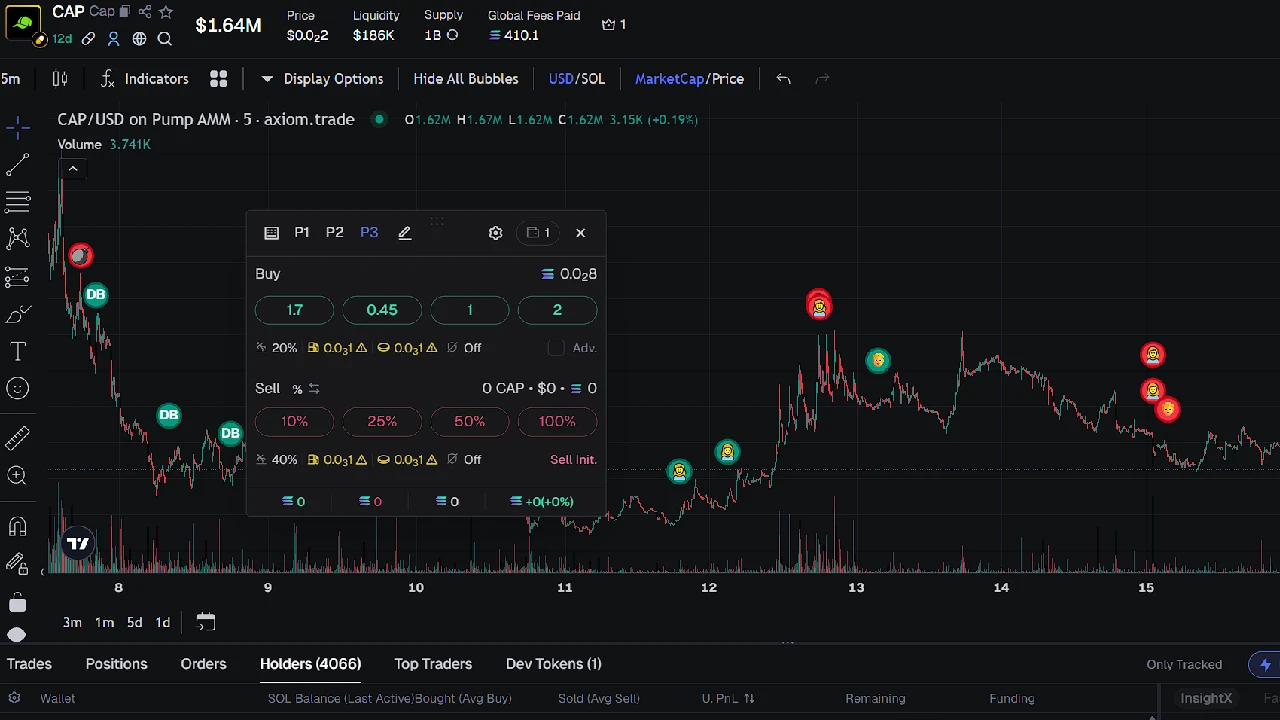
When you find something interesting on new pairs, go to the coin page. There you’ll look for information to decide if the coin is worth buying or not — holders, transactions, graph, and much more. I will write a separate guide on all of this.
On the coin page, learn how to buy and sell. On the right side of your screen you have Buy and Sell options. You also have Limit Orders where you can set the amount to buy if price drops, or sell if it goes higher.
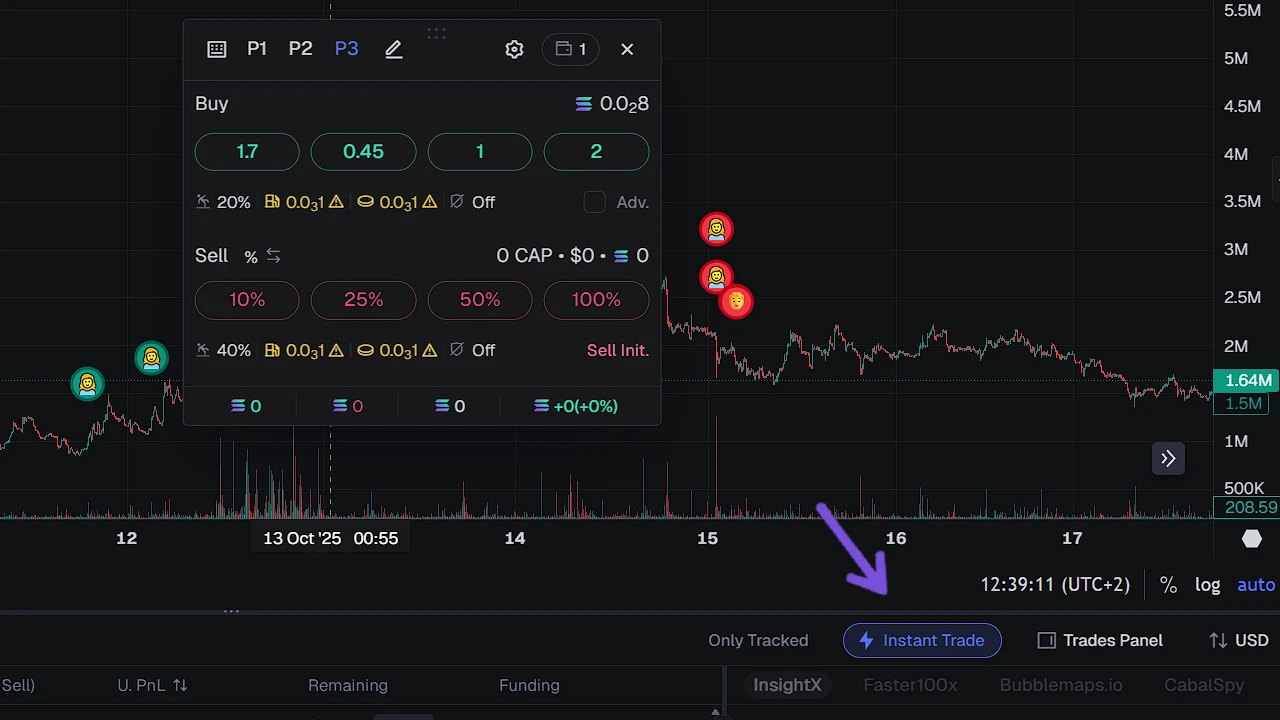
The most important thing to activate is Instant Trade. With Instant Trade you can buy and sell instantly so you don’t waste time clicking. To activate it, click the Instant Trade button. A popup will appear that you can move around the page.
For example, if you want to buy 1 SOL worth of a coin, click the 1 SOL button and it will purchase instantly — same for selling amounts. You have to use this if you want to be a good trader. If you’re not using it, you’re at a huge disadvantage; I’ve noticed transactions go even faster.
Fees
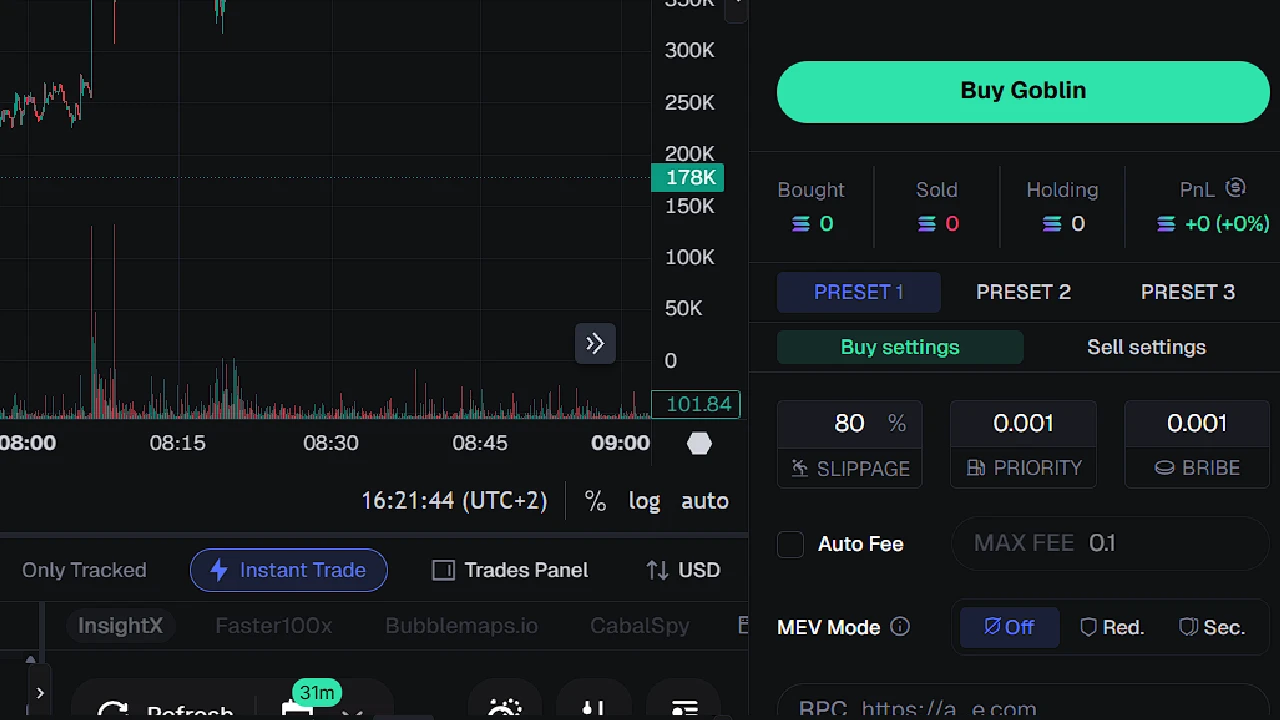
On Axiom Trade you can set 3 different presets. When you buy a coin your transaction goes from you to a middleman and then to the token. Fees are essentially paying the middleman to get you filled. If you buy at the same time as 10 other traders, the ones with higher fees get filled first — same for selling.
There’s no point in cranking fees super high because if you’re buying and selling 100 coins per day, fees will drain you fast. If you’re a new trader with a small port, you can set the smallest fees possible — or keep them low if there’s no volume in the coin.
Overall, I’m using Priority = 0.004 and Bribe = 0.01. My transactions get filled, same for selling. I trade with a higher port so I can afford these fees, but if you’re a new trader with a small port, feel free to use Priority = 0.001 and Bribe = 0.001. Even then your transactions should get filled. 0.001 / 0.01 is the max you should use — only increase if you’re trading really big amounts.
For Slippage, set 80% for both buy and sell. MEV: if you’re trading under 1.5 SOL, you can turn off MEV mode; if you’re trading higher amounts, especially on migrated coins, keep MEV protection on.
Axiom Trade also has its own fees that it will take on your transaction, so when you put Axiom fees + bribe + priority, the amount can go up fast, especially if you’re trading a lot of coins. That’s why I recommend using the link above to get 10% off trading fees.
How to Find a Good Coin on Axiom Trade
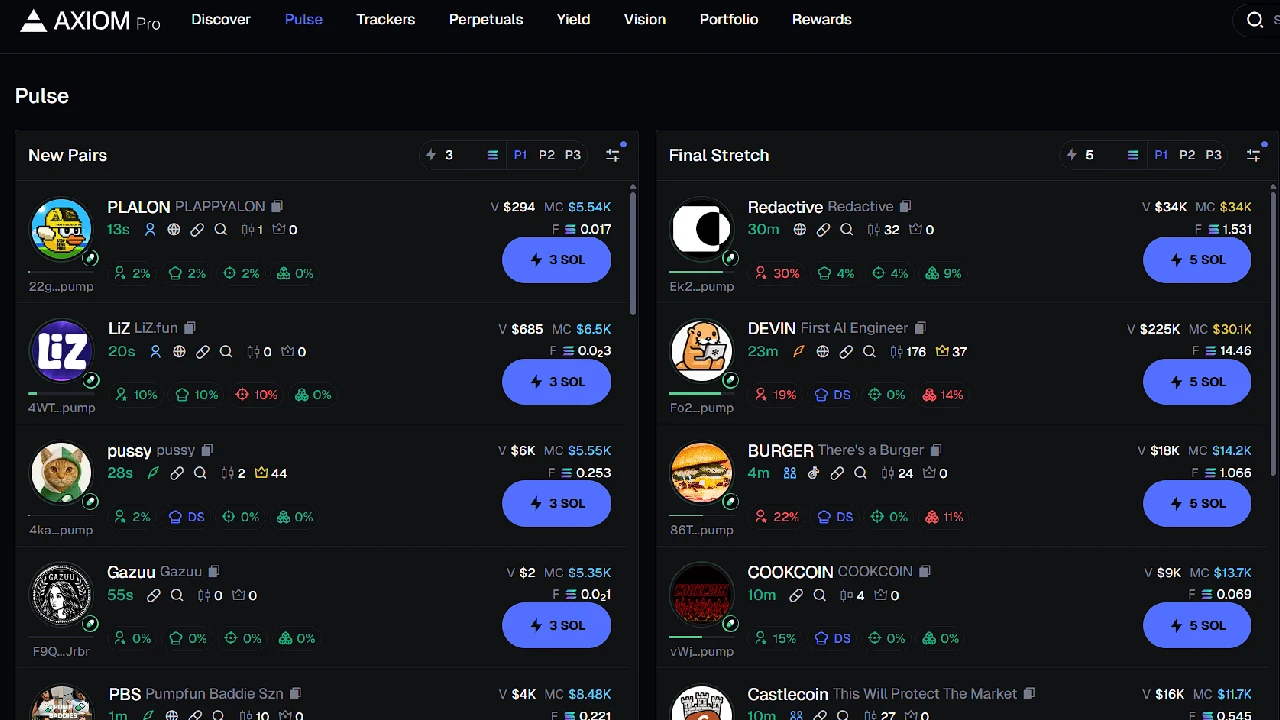
Now that you have everything set to buy, you need to find a good coin. This is where skill and speed come in. It’s extremely hard to learn and is what will make you a good or bad trader.
There are many factors: who developed the coin, why it was created, is it bundled, is it based on a tweet/community/video, who is in the coin, how far the MC can go, can it migrate, etc.
There are simply too many factors that decide if a coin is good or bad. That’s why I recommend you spend a lot of time paper trading and researching each coin — see why it went up or why it dumped after hitting 150k MC. This takes time, and you have to train your brain to instantly see the factors.
You won’t achieve this by just watching YouTube, reading guides, or watching streamers. You have to practice, find a strategy that works for you, and program your brain. So go practice, practice, and give your best.