

Some trading platforms do not have the option to export and import private keys, but Axiom Trade does. A lot of new users of Axiom Trade do not know how to export and import a private key. Even some long-time users cannot find that option. Axiom Trade makes it a little harder so people do not expose their private key by accident.
Important: never share your private key. Once someone has access to it, they can take all your funds. There are many scammers and bad actors in the crypto space, so never — but never — share your private keys.
How to Export a Private Key from Axiom Trade
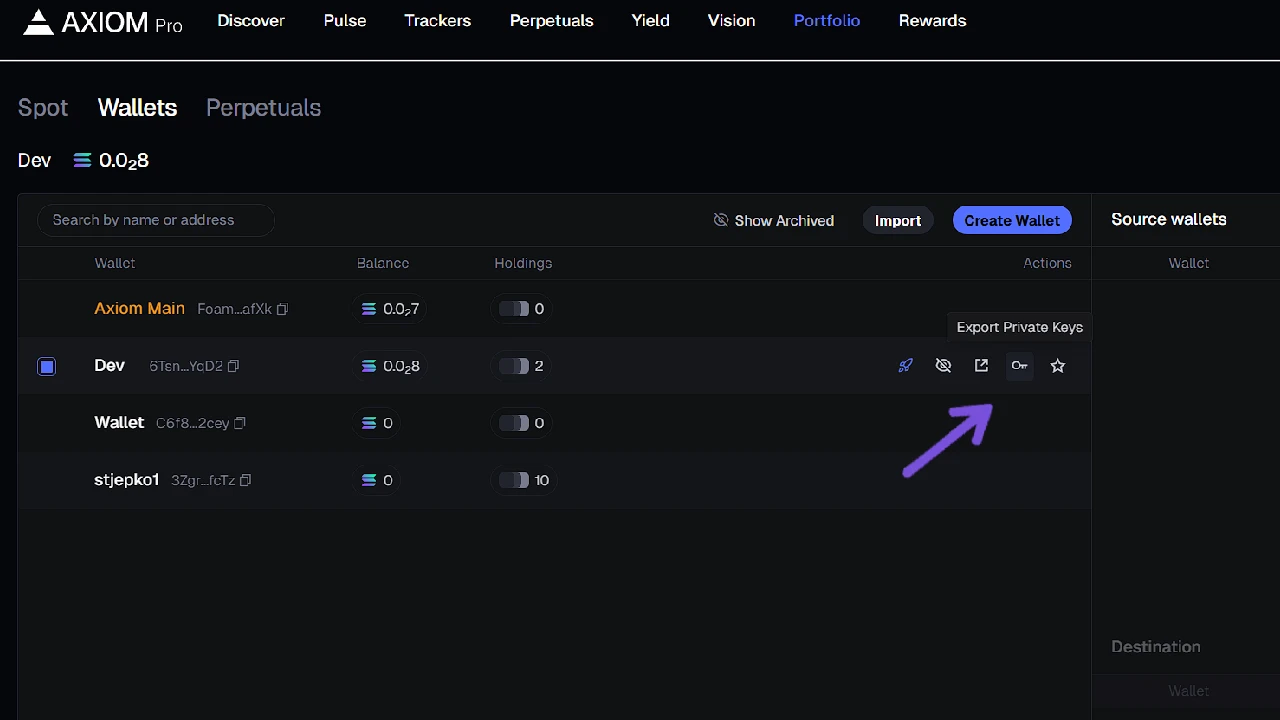
To export a private key from Axiom Trade:
- Click on Settings in the top-right part of your screen.
- Click Account & Security.
- Then click Manage Wallets. Now you can see all your wallets.
- An even simpler way: click on Portfolio at the top header to go straight to the wallet section.
You won’t see the export key option immediately. To see it, hover over the wallet you want the key from and a small key icon will show up. Click it, connect your wallet, and you will be able to view your private key.
Never share your private key or recovery phrase.
How to Import a Private Key
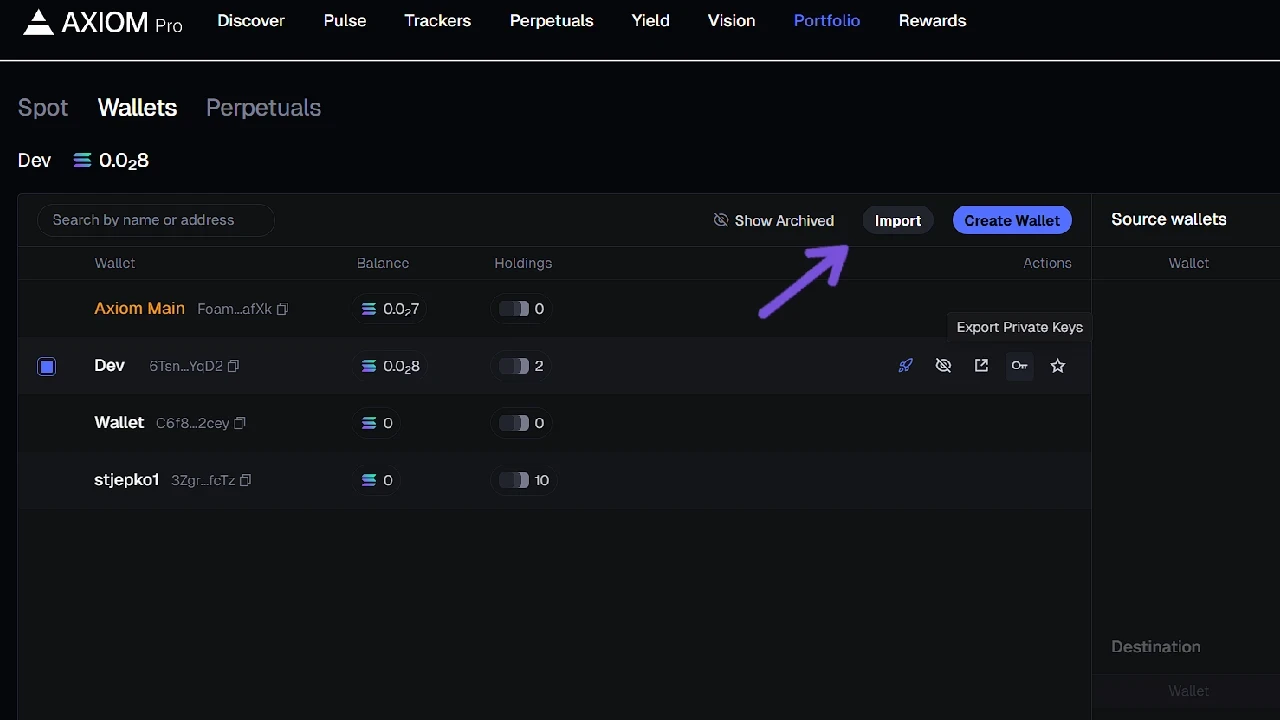
If you want to import a private key to use your existing wallet on Axiom Trade:
- Go to Portfolio → Wallets.
- Click Import Wallet.
That’s it — now you can use the imported wallet to trade meme coins on on Axiom Trade.