
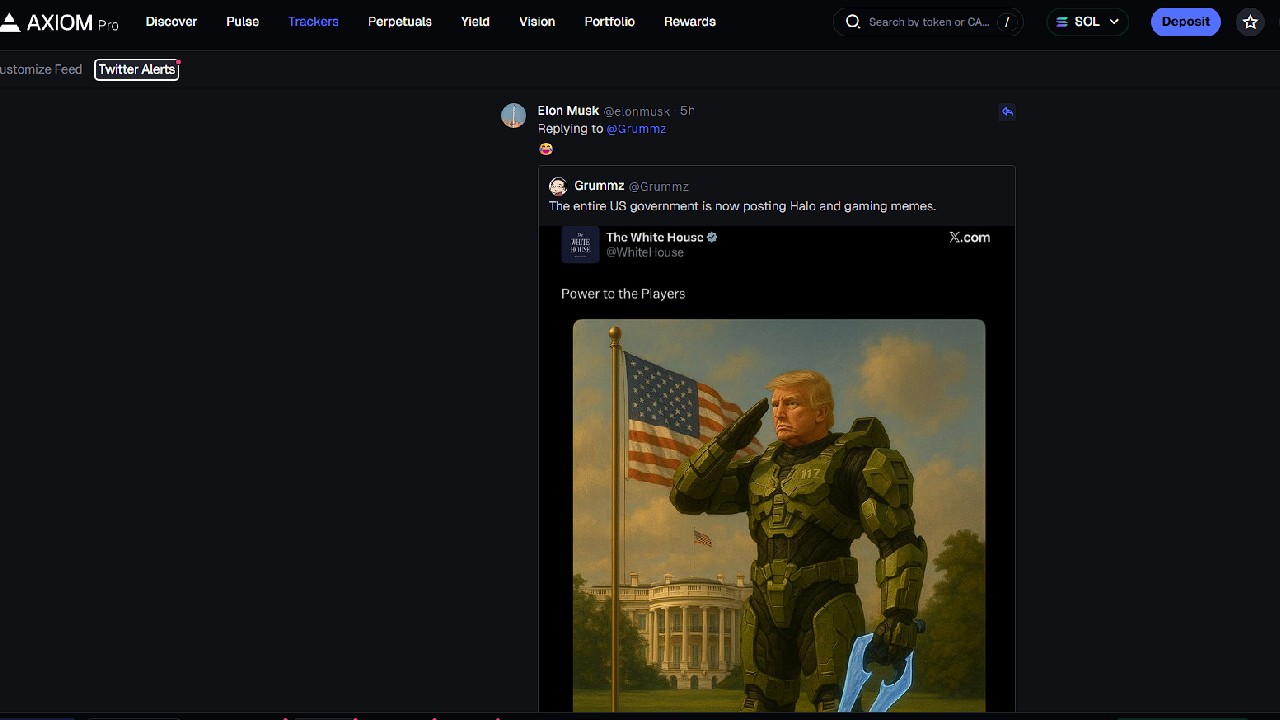
If you are trading meme coins, then you will know how important a Twitter tracker is. Axiom Trade has its own Twitter tracker that you can use for free. It is great for new traders who do not want to pay for private Twitter trackers. So in this guide I will show you how to set it up and why to use it.
How to set up the Twitter tracker on Axiom Trade
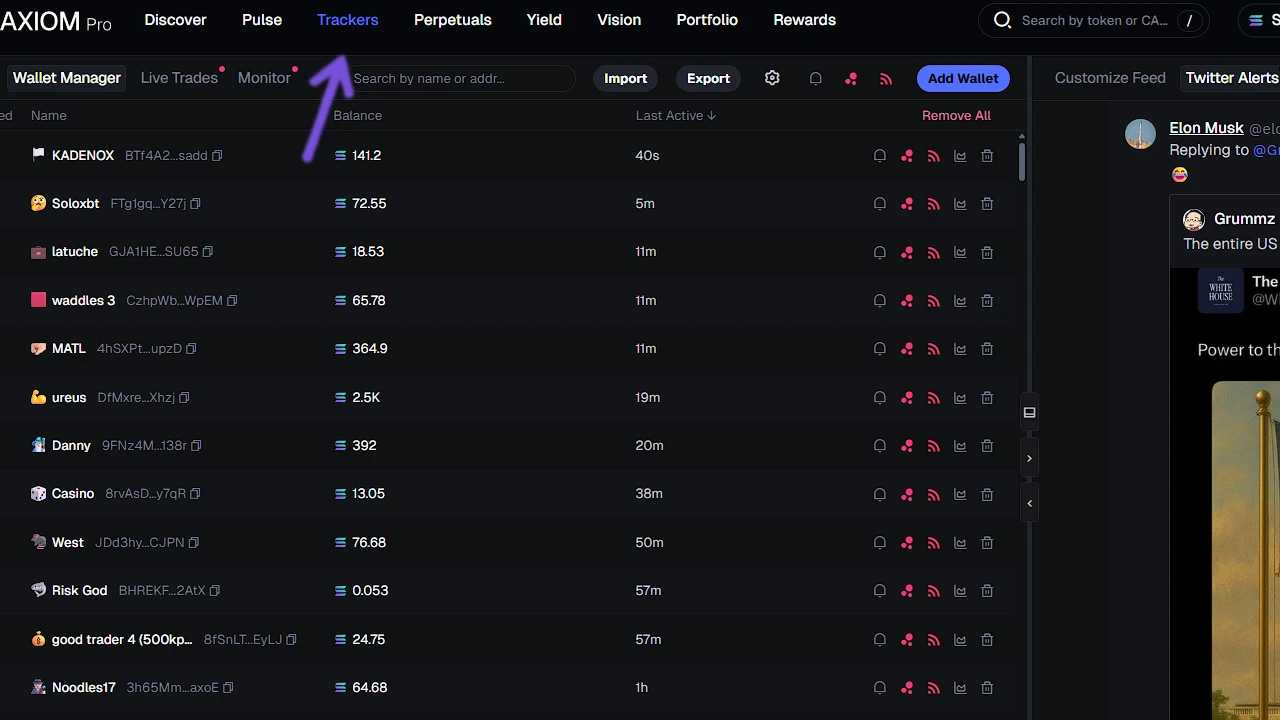
To set up the Twitter tracker on Axiom Trade, navigate to the Trackers section located in the top part of your screen. Once you are there you will have two sections: Customize Feed, where you will set it up, and Twitter Alerts, where tweets will show.
On Customize Feed you will see your list; you can import/export lists and you can add Handle. Handle is the unique ID of Twitter—for example @elonmusk. So even if he changes his name, the handle will be the same @elonmusk.
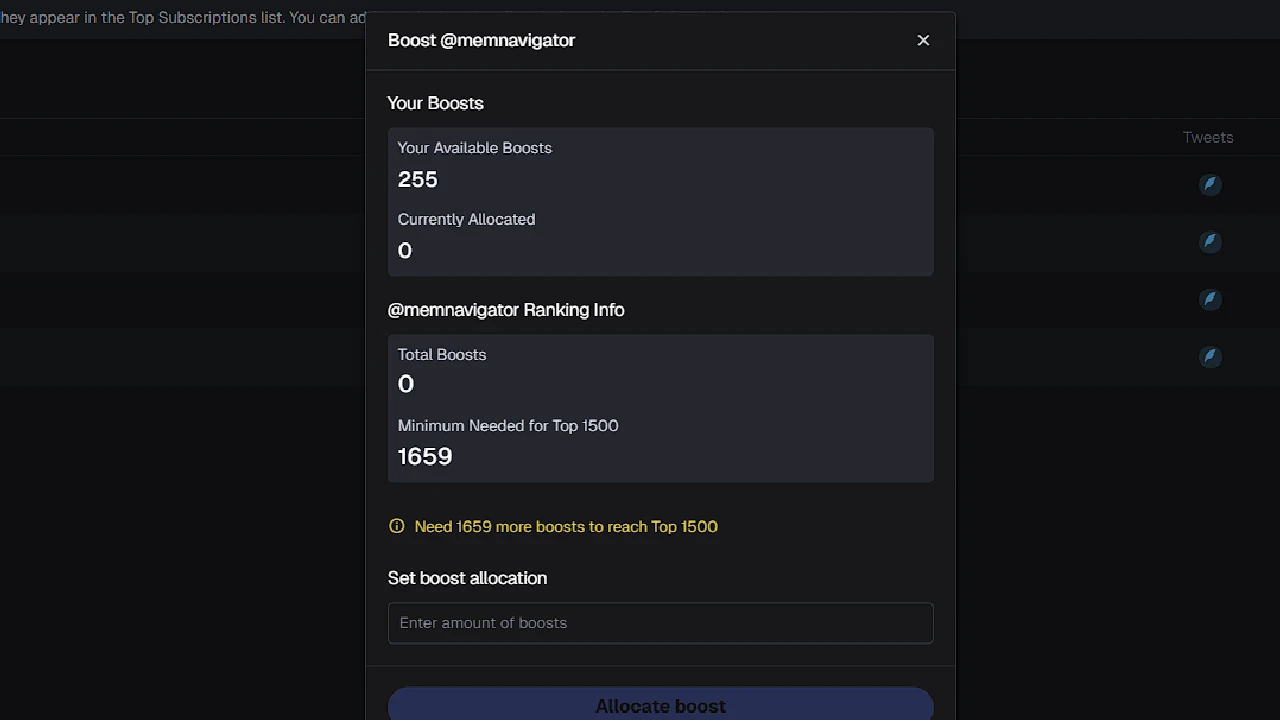
Problem with Axiom Twitter Trackers is that only the top 1500 boosted Twitter accounts will be shown in the Twitter Alerts. So even if you add some random account, it will not show in your Twitter feed until it gets to the top 1500 by boosts. Traders on Axiom Trade get 1 boost per SOL traded. There are a lot of big traders on Axiom, so what they did is boosted their own Twitter accounts to promote them.
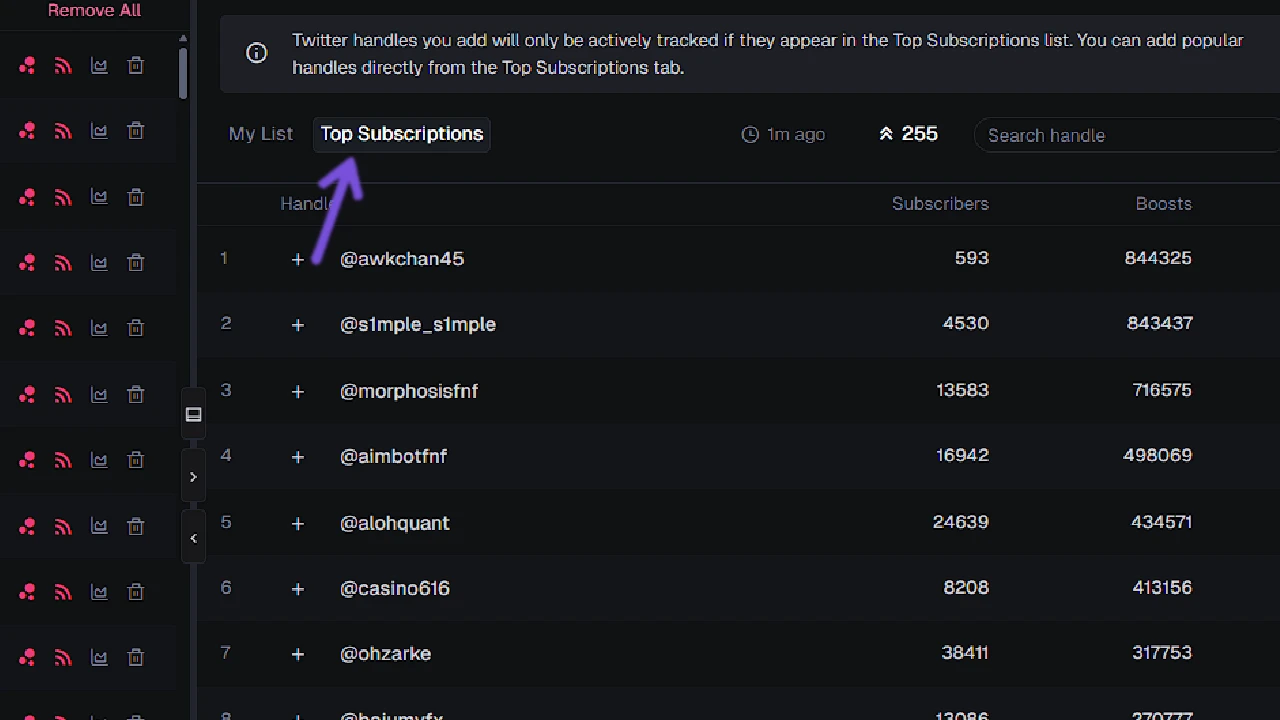
So there is no point in adding your own list. Best thing that you should do is navigate to Top Subscribers. There you will look not at boosts but Subscribers. Subscribers is number of Axiom users subscribed to that Twitter handle/account.
Look for good accounts that have a lot of subscribers like @realdonaldtrump, @aeyakovenko, @a1lon9, etc. Usually, good ones are those that have a lot of subscribers, while the rest of them from the list are KOLs that had a lot of boosts from trades, so they boosted their own Twitter accounts to get more followers.
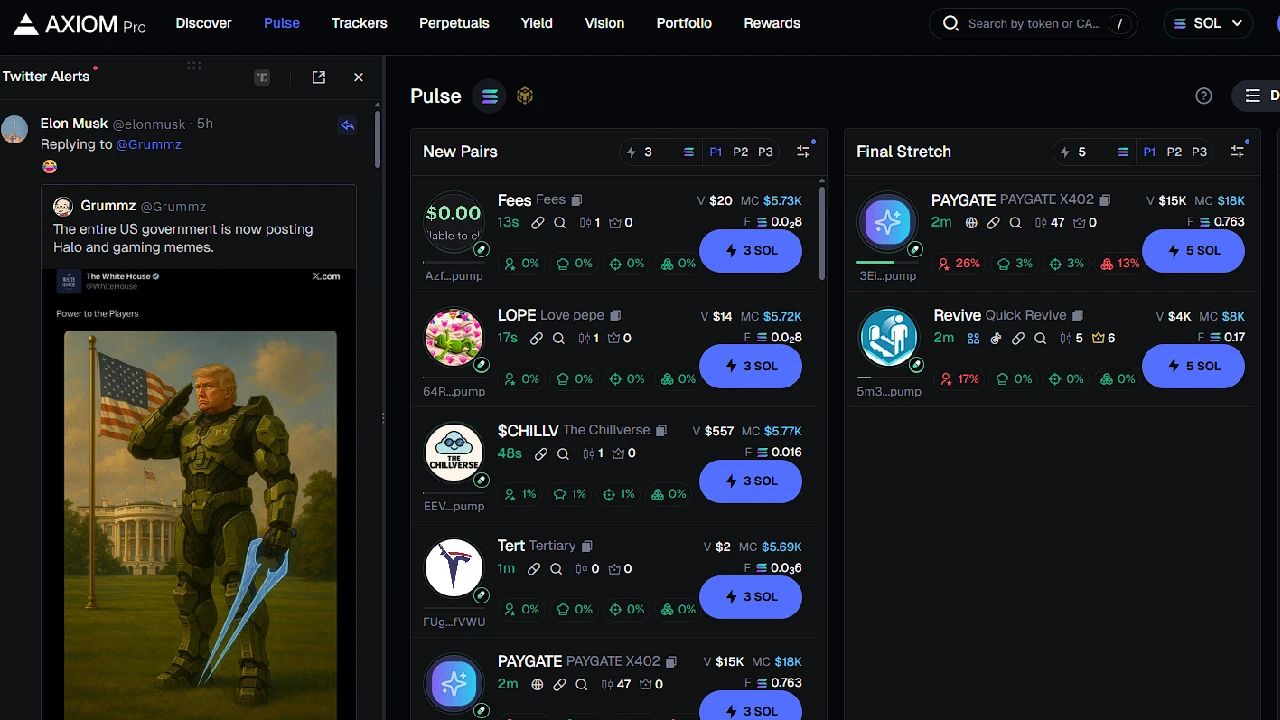
One more tip: it’s best to keep the Twitter tracker on the left side of your screen. This way, you can see new tweets and new pairs at the same time. To enable this in Axium Trade, go to Pulse and click Twitter at the bottom-right of your screen. If it appears on the left side, you can simply drag the tracker to the right. Now you’ll have both new pairs and the tracker visible on the same screen.
Why use the Twitter Tracker
When you are trading meme coins on Axiom or any other trading platform, majority of coins are based on tweets. For example, Elon Musk tweets “dog,” a coin for that dog will be developed which will have potential to go over 5m. Now with the Twitter tracker you will be able to see immediately that tweet, which will give you early entry in the coin. Without it you will not be able to.
Problem with Axiom Trade Twitter tracker is that it is slower a few seconds compared to other Twitter trackers that are paid. On top of that you cannot follow accounts that you want, but only ones from the top 1500 list, which are half traders that boosted their own accounts.
I would recommend that you use it if you are a new trader who does not want to spend money on private Twitter trackers or while you are paper trading. As soon as you get serious, then you can invest in a Twitter tracker or find some private Discord groups that have free ones.