
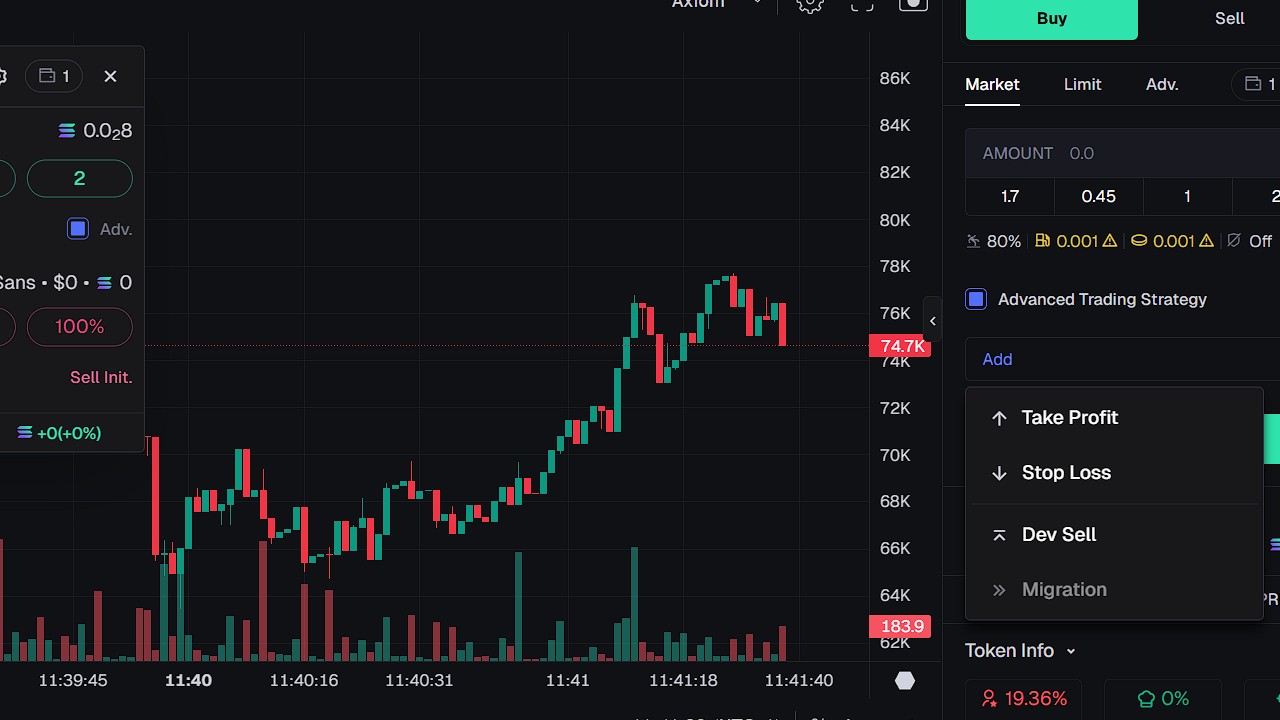
In this guide, you will find all information on stop-loss (SL) and take-profit (TP) orders on Axiom Trade. You can use stop-loss (SL) and take-profit (TP) on both pulse trading where meme coins are and for perpetuals. By using these features you will be a better trader who can manage risk, and if you bought a coin you do not have to sit the whole day looking at the chart. Once the price gets to your stop-loss (SL) or take-profit (TP), the transaction will be executed. I wish I knew about this earlier when I started trading.
Quick definitions
- Stop-loss (SL): An order that helps limit losses by selling or closing when the price goes against you.
- Take-profit (TP): An order that locks in gains by selling or closing when the price reaches a target.
- Percent of position: How much of your current holdings/position is affected by the SL/TP order.
How to activate Stop-loss (SL) and Take-profit (TP)
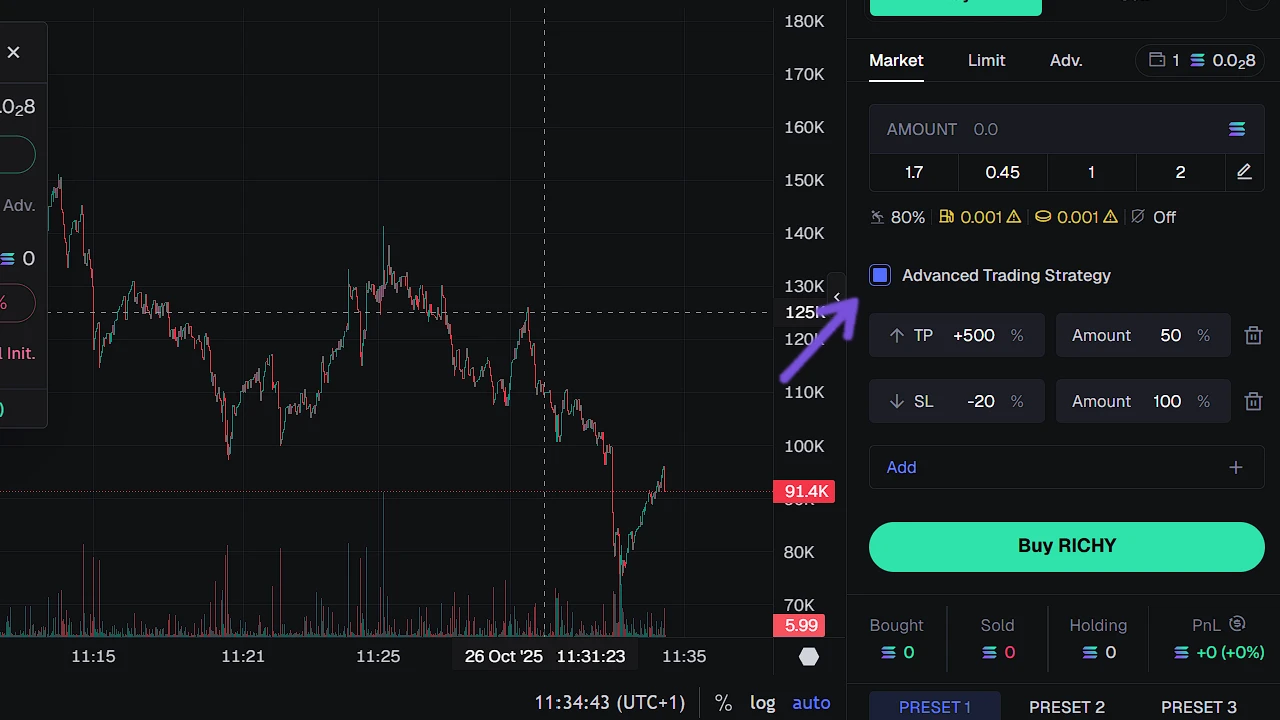
First, go to the page of the meme coin that you want to buy. When you are on the page, on the right side you will see a button called Advanced Trading Strategy. Toggle Advanced Trading Strategy ON. Click Add to create rules. When you set the rule, simply click on Buy Coin. What is great is that if you are using Insta Trade on Axiom Trade, Advanced Trading Strategy will also be applied if you have activated it.
Click on Stop-Loss (SL). There you can enter the sell price if the price drops below your entry. I usually put 30% and 100% sell. What this means is if the price drops 30% below my entry, it will sell 100% of my holdings. If you bought at $1.00, a 30% drawdown stop = $0.70. The SL sells your entire position at or around that level, subject to liquidity and slippage. You can put any number that you want. If you are new, feel free to use 30% under and 100% sell.
Click on Take-Profit (TP). Add how much % of coins you will sell when the price gets % above your entry. How much profit and when really depends on the coin and what your goal is. In most cases I am selling manually, but if I am not near PC then I am using Take-Profit (TP) by selling 50% of holdings when the price reaches 100% above my entry and leave the rest. This way I make sure that I get my initial investment back.
- Pulse (Meme Coins) → Buy/Sell panel → Advanced Trading Strategy: ON → Add → create SL and TP rules → Insta Trade: Advanced ON to auto-attach.
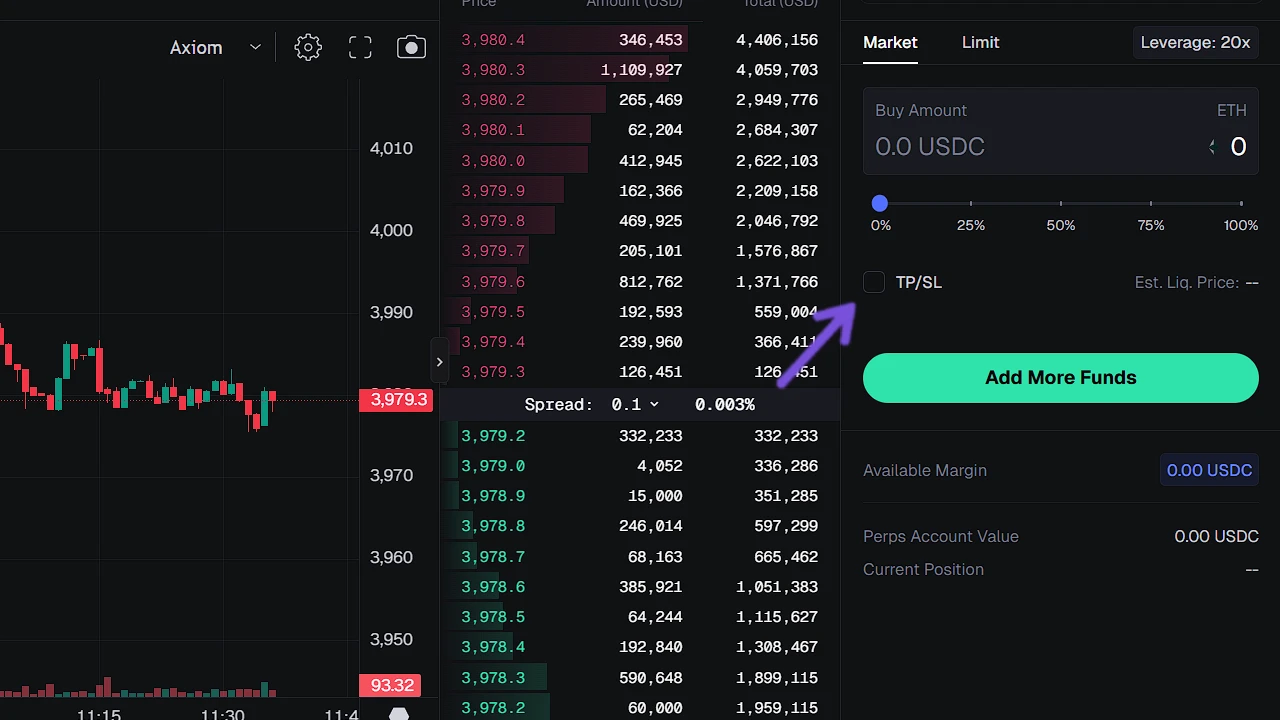
- Perpetuals → Switch to Perpetuals → TP/SL: ON → set TP price + % and SL price + % → save.
Tips and Mistakes
- Pre-define your plan and create Advanced Trading Strategy to suit your trading style.
- Make sure that you have higher fees and slippage.
- Make sure that Advanced Trading Strategy is toggled on or off if you will not use it.
- Always clear leftover conditional if you are entering the coin again.
- Be careful on low MC meme coins; a coin can drop 50% in seconds.
- Use partial TPs: Lock in gains while leaving a runner for trend continuation.